<?xml version="1.0" encoding="utf-8"?><feed xmlns="http://www.w3.org/2005/Atom" ><generator uri="https://jekyllrb.com/" version="3.10.0">Jekyll</generator><link href="https://cattacular.github.io/feed.xml" rel="self" type="application/atom+xml" /><link href="https://cattacular.github.io/" rel="alternate" type="text/html" /><updated>2026-11-02T18:45:43+00:00</updated><id>https://cattacular.github.io/feed.xml</id><title type="html">Jaevyn Atom Hoyt</title><subtitle>Personal Portfolio</subtitle><author><name>Jaevyn Atom Hoyt</name></author><entry><title type="html">Seed Path</title><link href="https://cattacular.github.io/Seed-Path/" rel="alternate" type="text/html" title="Seed Path" /><published>2025-11-02T18:00:00+00:00</published><updated>2025-11-02T18:00:00+00:00</updated><id>https://cattacular.github.io/Seed-Path</id><content type="html" xml:base="https://cattacular.github.io/Seed-Path/"><![CDATA[<p>A click-through gardening guide that connects people to the resources that fit their space and goals.
<!--more--></p>

<p>Seed Path is an interactive flowchart for gardeners who know they want to start—but not which guides, tools, or local resources to open first. Visitors answer one question at a time (containers vs. yard, food vs. pollinators, beginner vs. leveling up) and land on curated links.</p>

<p><a href="/seed-path/" target="_blank" rel="noopener">Open Seed Path</a></p>

<p>The flow lives as a static app at <code class="language-plaintext highlighter-rouge">/seed-path/</code> on this site, so it works on GitHub Pages with no backend.</p>

<iframe src="/seed-path/" title="Seed Path gardening resource flowchart" style="width:100%;min-height:70vh;border:0;border-radius:12px;margin-top:1.25rem;background:#e7f1e3;" loading="lazy"></iframe>

<p style="margin-top:0.75rem;"><a href="/seed-path/" target="_blank" rel="noopener">Open full screen</a> if the embedded view feels tight on your device.</p>]]></content><author><name>Jaevyn Atom Hoyt</name></author><category term="Portfolio" /><category term="Web" /><summary type="html"><![CDATA[A click-through gardening guide that connects people to the resources that fit their space and goals.]]></summary></entry><entry><title type="html">Exquisite Corpse Drawing Game</title><link href="https://cattacular.github.io/Exquisite-Corpse/" rel="alternate" type="text/html" title="Exquisite Corpse Drawing Game" /><published>2025-09-17T09:00:00+00:00</published><updated>2025-09-17T09:00:00+00:00</updated><id>https://cattacular.github.io/Exquisite-Corpse</id><content type="html" xml:base="https://cattacular.github.io/Exquisite-Corpse/"><![CDATA[<p>Combine 3 images into a complete creature
<!--more-->
Welcome to the Exquisite Corpse drawing game! This is a collaborative art project where three people draw different parts of a body without seeing what the others have drawn.</p>

<h2 id="how-it-works">How it works:</h2>
<ol>
  <li><strong>Draw a section</strong>: Choose to draw the top, middle, or bottom of a body</li>
  <li><strong>Save your drawing</strong>: Choose to save locally or share with the community</li>
  <li><strong>Generate combinations</strong>: The game randomly combines drawings from each category to create unique creatures!</li>
</ol>

<h3 id="save-options">Save Options:</h3>
<ul>
  <li><strong>Local Save</strong>: Saves to your device only - you can use it in combinations on this computer</li>
  <li><strong>Share</strong>: Downloads the file and opens your email to send it to me for community sharing</li>
</ul>

<h2 id="categories">Categories:</h2>
<ul>
  <li><strong>Top</strong>: Head, neck, and shoulders</li>
  <li><strong>Middle</strong>: Torso, arms, and waist</li>
  <li><strong>Bottom</strong>: Legs, feet, and tail (if applicable)</li>
</ul>

<div id="exquisite-corpse-game">
  <div class="game-section">
    <h2>Create Your Drawing</h2>
    <div class="drawing-interface">
      <div class="category-selector">
        <label for="category">Choose which part to draw:</label>
        <select id="category" name="category">
          <option value="top">Top (Head &amp; Shoulders)</option>
          <option value="middle">Middle (Torso &amp; Arms)</option>
          <option value="bottom">Bottom (Legs &amp; Feet)</option>
        </select>
      </div>
      
      <div class="canvas-container">
        <canvas id="drawingCanvas" width="400" height="300"></canvas>
        <div class="canvas-controls">
          <input type="color" id="colorPicker" value="#000000" />
          <input type="range" id="brushSize" min="1" max="20" value="3" />
          <span id="brushSizeLabel">Size: 3</span>
          <button id="clearCanvas">Clear</button>
          <button id="localSave">Local Save</button>
          <button id="shareDrawing">Share</button>
        </div>
      </div>
      
      <div class="upload-section">
        <h3>Or Upload an Existing Image</h3>
        <input type="file" id="imageUpload" accept="image/*" style="margin-bottom: 10px;" />
        <button id="loadImage">Load Image to Canvas</button>
      </div>
    </div>
  </div>

  <div class="game-section">
    <h2>Generate Random Combinations</h2>
    <div class="combination-generator">
      <button id="generateCombination">Create Random Creature!</button>
      <div id="combinationResult" class="combination-display"></div>
    </div>
  </div>

  <div class="game-section">
    <details class="gallery-collapsible">
      <summary class="gallery-summary">Gallery (click to expand)</summary>
      <div class="gallery">
        <div class="gallery-category">
          <h3>Top Drawings</h3>
          <div id="topGallery" class="gallery-grid"></div>
        </div>
        <div class="gallery-category">
          <h3>Middle Drawings</h3>
          <div id="middleGallery" class="gallery-grid"></div>
        </div>
        <div class="gallery-category">
          <h3>Bottom Drawings</h3>
          <div id="bottomGallery" class="gallery-grid"></div>
        </div>
      </div>
    </details>
  </div>

  <div class="game-section">
    <h2>How to Share Your Drawings</h2>
    <div class="sharing-instructions">
      <p>Want to share your drawings with the community? Here's how:</p>
      <ol>
        <li><strong>Create your drawing</strong> using the canvas above</li>
        <li><strong>Click "Share"</strong> - this will download your drawing and open your email</li>
        <li><strong>Attach the downloaded file</strong> to the email (it will be in your Downloads folder)</li>
        <li><strong>Send the email</strong> - I'll add your drawing to the shared gallery!</li>
      </ol>
      <p><em>Note: It may take a few days for shared drawings to appear in the gallery as I manually add them to the server.</em></p>
    </div>
  </div>
</div>

<style>
#exquisite-corpse-game {
  max-width: 1000px;
  margin: 0 auto;
  padding: 20px;
}

.game-section {
  margin-bottom: 40px;
  padding: 20px;
  background: #f8f9fa;
  border-radius: 10px;
  border: 2px solid #e9ecef;
}

.drawing-interface {
  display: flex;
  flex-direction: column;
  align-items: center;
  gap: 20px;
}

.category-selector {
  text-align: center;
}

.category-selector label {
  display: block;
  margin-bottom: 10px;
  font-weight: bold;
  color: #495057;
}

.category-selector select {
  padding: 8px 12px;
  border: 2px solid #ced4da;
  border-radius: 5px;
  font-size: 16px;
  background: white;
}

.canvas-container {
  text-align: center;
  background: white;
  padding: 20px;
  border-radius: 10px;
  box-shadow: 0 2px 10px rgba(0,0,0,0.1);
}

#drawingCanvas {
  border: 2px solid #dee2e6;
  border-radius: 5px;
  cursor: crosshair;
  background: white;
}

.canvas-controls {
  margin-top: 15px;
  display: flex;
  justify-content: center;
  align-items: center;
  gap: 15px;
  flex-wrap: wrap;
}

.canvas-controls input, .canvas-controls button {
  padding: 8px 12px;
  border: 1px solid #ced4da;
  border-radius: 5px;
  font-size: 14px;
}

.canvas-controls button {
  color: white;
  border: none;
  cursor: pointer;
  transition: background 0.2s;
}

#clearCanvas {
  background: #6c757d;
}

#clearCanvas:hover {
  background: #545b62;
}

#localSave {
  background: #007bff;
}

#localSave:hover {
  background: #0056b3;
}

#shareDrawing {
  background: #28a745;
}

#shareDrawing:hover {
  background: #1e7e34;
}

.upload-section {
  text-align: center;
  background: white;
  padding: 20px;
  border-radius: 10px;
  box-shadow: 0 2px 10px rgba(0,0,0,0.1);
  margin-top: 20px;
}

.upload-section h3 {
  margin-bottom: 15px;
  color: #495057;
}

.upload-section input[type="file"] {
  display: block;
  margin: 0 auto 10px;
  padding: 8px;
  border: 2px solid #ced4da;
  border-radius: 5px;
  background: white;
}

.upload-section button {
  background: #17a2b8;
  color: white;
  border: none;
  padding: 10px 20px;
  border-radius: 5px;
  cursor: pointer;
  transition: background 0.2s;
}

.upload-section button:hover {
  background: #138496;
}

.sharing-instructions {
  background: #e7f3ff;
  padding: 20px;
  border-radius: 8px;
  border-left: 4px solid #007bff;
}

.sharing-instructions p {
  margin-bottom: 15px;
  color: #495057;
}

.sharing-instructions ol {
  margin-left: 20px;
  color: #495057;
}

.sharing-instructions li {
  margin-bottom: 8px;
}

.sharing-instructions em {
  color: #6c757d;
  font-size: 14px;
}

.combination-generator {
  text-align: center;
}

#generateCombination {
  background: #28a745;
  color: white;
  border: none;
  padding: 15px 30px;
  font-size: 18px;
  border-radius: 8px;
  cursor: pointer;
  transition: background 0.2s;
}

#generateCombination:hover {
  background: #1e7e34;
}

.combination-display {
  margin-top: 20px;
  min-height: 400px;
  border: 2px dashed #ced4da;
  border-radius: 10px;
  display: flex;
  align-items: center;
  justify-content: center;
  background: #f8f9fa;
}

.combination-display.has-content {
  border: 2px solid #28a745;
  background: white;
  flex-direction: column;
  gap: 10px;
}

.creature-combination {
  display: flex;
  flex-direction: column;
  align-items: center;
  gap: 0;
  background: white;
  border-radius: 10px;
  padding: 10px;
  box-shadow: 0 2px 10px rgba(0,0,0,0.1);
}

.creature-section {
  display: flex;
  justify-content: center;
  align-items: center;
}

.creature-section img {
  max-width: 400px;
  max-height: 300px;
  border: none;
  border-radius: 0;
  display: block;
  object-fit: contain;
}

/* Remove border radius from middle sections to create seamless connection */
.creature-top img {
  border-radius: 10px 10px 0 0;
}

.creature-middle img {
  border-radius: 0;
}

.creature-bottom img {
  border-radius: 0 0 10px 10px;
}

/* Add subtle shadow between sections for depth */
.creature-top {
  box-shadow: 0 2px 4px rgba(0,0,0,0.1);
}

.creature-middle {
  box-shadow: 0 1px 2px rgba(0,0,0,0.05);
}

.creature-bottom {
  box-shadow: 0 -1px 2px rgba(0,0,0,0.05);
}

.gallery {
  display: grid;
  grid-template-columns: repeat(auto-fit, minmax(300px, 1fr));
  gap: 20px;
}

.gallery-category {
  background: white;
  padding: 15px;
  border-radius: 8px;
  border: 1px solid #dee2e6;
}

.gallery-category h3 {
  text-align: center;
  margin-bottom: 15px;
  color: #495057;
  border-bottom: 2px solid #e9ecef;
  padding-bottom: 10px;
}

.gallery-collapsible {
  display: block;
}

.gallery-summary {
  cursor: pointer;
  font-weight: 600;
  font-size: 18px;
  list-style: none;
  position: relative;
  padding: 10px 14px;
  border: 1px solid #dee2e6;
  border-radius: 6px;
  background: #ffffff;
  user-select: none;
}

.gallery-summary::marker { display: none; }
.gallery-summary::-webkit-details-marker { display: none; }

.gallery-collapsible[open] > .gallery-summary {
  background: #f1f3f5;
}

.gallery-grid {
  display: grid;
  grid-template-columns: repeat(auto-fill, minmax(200px, 1fr));
  gap: 15px;
}

.gallery-item {
  text-align: center;
  padding: 10px;
  border: 1px solid #dee2e6;
  border-radius: 5px;
  background: #f8f9fa;
}

.gallery-item img {
  max-width: 100%;
  height: auto;
  border-radius: 3px;
  min-height: 150px;
  object-fit: cover;
}

.gallery-item .filename {
  display: none;
}

@media (max-width: 768px) {
  .canvas-controls {
    flex-direction: column;
  }
  
  #drawingCanvas {
    width: 100%;
    max-width: 400px;
    height: auto;
  }
  
  .gallery {
    grid-template-columns: 1fr;
  }
  
  .gallery-grid {
    grid-template-columns: repeat(auto-fill, minmax(150px, 1fr));
  }
  
  .creature-section img {
    max-width: 300px;
    max-height: 225px;
  }
  
  .combination-display {
    min-height: 300px;
  }
}
</style>

<script>
// Exquisite Corpse Game JavaScript
class ExquisiteCorpseGame {
  constructor() {
    this.canvas = document.getElementById('drawingCanvas');
    this.ctx = this.canvas.getContext('2d');
    this.isDrawing = false;
    this.currentColor = '#000000';
    this.currentBrushSize = 3;
    
    this.initializeCanvas();
    this.setupEventListeners();
    this.loadGallery();
  }

  initializeCanvas() {
    // Set up canvas for drawing
    this.ctx.lineCap = 'round';
    this.ctx.lineJoin = 'round';
    this.ctx.fillStyle = 'white';
    this.ctx.fillRect(0, 0, this.canvas.width, this.canvas.height);
  }

  setupEventListeners() {
    // Drawing events
    this.canvas.addEventListener('mousedown', (e) => this.startDrawing(e));
    this.canvas.addEventListener('mousemove', (e) => this.draw(e));
    this.canvas.addEventListener('mouseup', () => this.stopDrawing());
    this.canvas.addEventListener('mouseout', () => this.stopDrawing());

    // Touch events for mobile
    this.canvas.addEventListener('touchstart', (e) => {
      e.preventDefault();
      const touch = e.touches[0];
      const mouseEvent = new MouseEvent('mousedown', {
        clientX: touch.clientX,
        clientY: touch.clientY
      });
      this.canvas.dispatchEvent(mouseEvent);
    });

    this.canvas.addEventListener('touchmove', (e) => {
      e.preventDefault();
      const touch = e.touches[0];
      const mouseEvent = new MouseEvent('mousemove', {
        clientX: touch.clientX,
        clientY: touch.clientY
      });
      this.canvas.dispatchEvent(mouseEvent);
    });

    this.canvas.addEventListener('touchend', (e) => {
      e.preventDefault();
      const mouseEvent = new MouseEvent('mouseup', {});
      this.canvas.dispatchEvent(mouseEvent);
    });

    // Control events
    document.getElementById('colorPicker').addEventListener('change', (e) => {
      this.currentColor = e.target.value;
    });

    document.getElementById('brushSize').addEventListener('input', (e) => {
      this.currentBrushSize = e.target.value;
      document.getElementById('brushSizeLabel').textContent = `Size: ${e.target.value}`;
    });

    document.getElementById('clearCanvas').addEventListener('click', () => {
      this.clearCanvas();
    });

    document.getElementById('localSave').addEventListener('click', () => {
      this.localSave();
    });

    document.getElementById('shareDrawing').addEventListener('click', () => {
      this.shareDrawing();
    });

    document.getElementById('generateCombination').addEventListener('click', () => {
      this.generateRandomCombination();
    });

    document.getElementById('loadImage').addEventListener('click', () => {
      this.loadImageToCanvas();
    });
  }

  getMousePos(e) {
    const rect = this.canvas.getBoundingClientRect();
    return {
      x: e.clientX - rect.left,
      y: e.clientY - rect.top
    };
  }

  startDrawing(e) {
    this.isDrawing = true;
    const pos = this.getMousePos(e);
    this.ctx.beginPath();
    this.ctx.moveTo(pos.x, pos.y);
  }

  draw(e) {
    if (!this.isDrawing) return;
    
    const pos = this.getMousePos(e);
    this.ctx.strokeStyle = this.currentColor;
    this.ctx.lineWidth = this.currentBrushSize;
    this.ctx.lineTo(pos.x, pos.y);
    this.ctx.stroke();
  }

  stopDrawing() {
    this.isDrawing = false;
    this.ctx.beginPath();
  }

  clearCanvas() {
    this.ctx.fillStyle = 'white';
    this.ctx.fillRect(0, 0, this.canvas.width, this.canvas.height);
  }

  loadImageToCanvas() {
    const fileInput = document.getElementById('imageUpload');
    const file = fileInput.files[0];
    
    if (!file) {
      alert('Please select an image file first!');
      return;
    }
    
    const reader = new FileReader();
    reader.onload = (e) => {
      const img = new Image();
      img.onload = () => {
        // Clear canvas and draw the image
        this.clearCanvas();
        
        // Calculate scaling to fit image in canvas while maintaining aspect ratio
        const canvasAspect = this.canvas.width / this.canvas.height;
        const imageAspect = img.width / img.height;
        
        let drawWidth, drawHeight, offsetX = 0, offsetY = 0;
        
        if (imageAspect > canvasAspect) {
          // Image is wider than canvas
          drawWidth = this.canvas.width;
          drawHeight = this.canvas.width / imageAspect;
          offsetY = (this.canvas.height - drawHeight) / 2;
        } else {
          // Image is taller than canvas
          drawHeight = this.canvas.height;
          drawWidth = this.canvas.height * imageAspect;
          offsetX = (this.canvas.width - drawWidth) / 2;
        }
        
        this.ctx.drawImage(img, offsetX, offsetY, drawWidth, drawHeight);
      };
      img.src = e.target.result;
    };
    reader.readAsDataURL(file);
  }

  localSave() {
    const category = document.getElementById('category').value;
    const dataURL = this.canvas.toDataURL('image/png');
    
    // Create a download link
    const link = document.createElement('a');
    link.download = `exquisite-corpse-${category}-${Date.now()}.png`;
    link.href = dataURL;
    link.click();
    
    // Store in localStorage for local use
    this.storeDrawing(category, dataURL);
    
    alert(`Drawing saved locally as ${link.download}! You can use it in random combinations on this device.`);
  }

  shareDrawing() {
    const category = document.getElementById('category').value;
    const dataURL = this.canvas.toDataURL('image/png');
    
    // Create a download link first
    const link = document.createElement('a');
    link.download = `exquisite-corpse-${category}-${Date.now()}.png`;
    link.href = dataURL;
    link.click();
    
    // Store locally as well
    this.storeDrawing(category, dataURL);
    
    // Create email content
    const subject = `Exquisite Corpse Drawing - ${category.charAt(0).toUpperCase() + category.slice(1)} Section`;
    const body = `Hi Jaevyn!

I've created a drawing for the Exquisite Corpse game and would like to share it with the community.

Drawing Details:
- Category: ${category.charAt(0).toUpperCase() + category.slice(1)} (${this.getCategoryDescription(category)})
- Filename: ${link.download}
- Created: ${new Date().toLocaleString()}

Please add this drawing to the shared gallery so others can see it in random combinations!

Thanks for creating this fun collaborative art project!

Best regards,
[Your name here]`;

    // Create mailto link
    const mailtoLink = `mailto:jatomsynergies@gmail.com?subject=${encodeURIComponent(subject)}&body=${encodeURIComponent(body)}`;
    
    // Open email client
    window.location.href = mailtoLink;
    
    // Show confirmation
    alert(`Email client opened! Please attach the downloaded file (${link.download}) to your email and send it to share your drawing with the community.`);
  }

  getCategoryDescription(category) {
    const descriptions = {
      top: 'Head, neck, and shoulders',
      middle: 'Torso, arms, and waist', 
      bottom: 'Legs, feet, and tail'
    };
    return descriptions[category] || category;
  }

  storeDrawing(category, dataURL) {
    const drawings = JSON.parse(localStorage.getItem('exquisiteCorpseDrawings') || '{}');
    if (!drawings[category]) {
      drawings[category] = [];
    }
    drawings[category].push({
      dataURL: dataURL,
      timestamp: Date.now(),
      filename: `exquisite-corpse-${category}-${Date.now()}.png`
    });
    localStorage.setItem('exquisiteCorpseDrawings', JSON.stringify(drawings));
    this.loadGallery();
  }

  async loadGallery() {
    const drawings = JSON.parse(localStorage.getItem('exquisiteCorpseDrawings') || '{}');
    const categories = ['top', 'middle', 'bottom'];
    
    for (const category of categories) {
      const gallery = document.getElementById(`${category}Gallery`);
      gallery.innerHTML = '';
      
      // Load local drawings
      if (drawings[category] && drawings[category].length > 0) {
        drawings[category].forEach(drawing => {
          const item = document.createElement('div');
          item.className = 'gallery-item';
          item.innerHTML = `
            <img src="${drawing.dataURL}" alt="${drawing.filename}">
            <div class="filename">${drawing.filename}</div>
          `;
          gallery.appendChild(item);
        });
      }
      
      // Load server images (if any exist)
      await this.loadServerImages(category, gallery);
      
      // Show message if no drawings at all
      if (gallery.children.length === 0) {
        gallery.innerHTML = '<p style="text-align: center; color: #6c757d; font-style: italic;">No drawings yet. Be the first to create one!</p>';
      }
    }
  }

  async loadServerImages(category, gallery) {
    // Load server images dynamically
    const serverImages = await this.getServerImages(category);
    
    serverImages.forEach(image => {
      const item = document.createElement('div');
      item.className = 'gallery-item';
      item.innerHTML = `
        <img src="${image.src}" alt="${image.filename}">
        <div class="filename">${image.filename}</div>
      `;
      gallery.appendChild(item);
    });
  }

  async getServerImages(category) {
    // Dynamically discover images in the exquisite-corpse folders
    try {
      // For static sites like Jekyll/GitHub Pages, we need to maintain a list
      // But we can make it easier to update by centralizing the image list
      const imageRegistry = {
        top: [
          'DogHead.jpg', 'OldManHead.jpg', 'OrangeHead.jpg', 'PumpkinHead.jpg','KingCat.jpg','CatHead.jpg'
          // Add new top images here - just add the filename to this array
        ],
        middle: [
          'Belly.jpg', 'CrabAbs.jpg', 'RibCage.jpg','Hocuspocus.jpg','Abbbs.jpg'
          // Add new middle images here - just add the filename to this array
        ],
        bottom: [
          'Boots.jpg', 'DuckSkirt.jpg', 'FishTail.jpg', 'WheelChair.jpg','Stripedboots.jpg','OstrichFeet.jpg'
          // Add new bottom images here - just add the filename to this array
        ]
      };
      
      const images = imageRegistry[category] || [];
      
      // Convert to the expected format
      return images.map(filename => ({
        src: `/assets/images/exquisite-corpse/${category}/${filename}`,
        filename: filename
      }));
    } catch (error) {
      console.error('Error loading server images:', error);
      return [];
    }
  }

  async generateRandomCombination() {
    const drawings = JSON.parse(localStorage.getItem('exquisiteCorpseDrawings') || '{}');
    const categories = ['top', 'middle', 'bottom'];
    const result = document.getElementById('combinationResult');
    
    // Get all available drawings (local + server) for each category
    const allDrawings = {};
    for (const category of categories) {
      allDrawings[category] = [];
      
      // Add local drawings
      if (drawings[category] && drawings[category].length > 0) {
        allDrawings[category].push(...drawings[category]);
      }
      
      // Add server drawings
      const serverImages = await this.getServerImages(category);
      allDrawings[category].push(...serverImages);
    }
    
    // Check if we have at least one drawing in each category
    const hasAllCategories = categories.every(category => 
      allDrawings[category].length > 0
    );
    
    if (!hasAllCategories) {
      result.innerHTML = '<p style="color: #dc3545; text-align: center;">Please create at least one drawing in each category (top, middle, bottom) before generating combinations.</p>';
      return;
    }
    
    // Select random drawings from each category
    const selectedDrawings = categories.map(category => {
      const categoryDrawings = allDrawings[category];
      const randomIndex = Math.floor(Math.random() * categoryDrawings.length);
      return categoryDrawings[randomIndex];
    });
    
    // Display the combination
    result.className = 'combination-display has-content';
    result.innerHTML = `
      <h3>Your Random Creature!</h3>
      <div class="creature-combination">
        ${selectedDrawings.map((drawing, index) => `
          <div class="creature-section creature-${categories[index]}">
            <img src="${drawing.dataURL || drawing.src}" alt="${drawing.filename}">
          </div>
        `).join('')}
      </div>
      <button onclick="this.parentElement.innerHTML=''; this.parentElement.className='combination-display';" 
              style="margin-top: 15px; padding: 8px 16px; background: #6c757d; color: white; border: none; border-radius: 5px; cursor: pointer;">
        Clear
      </button>
    `;
  }
}

// Initialize the game when the page loads
document.addEventListener('DOMContentLoaded', () => {
  new ExquisiteCorpseGame();
});
</script>]]></content><author><name>Jaevyn Atom Hoyt</name></author><category term="Art" /><category term="GameDesign" /><category term="interactive" /><category term="art" /><category term="game" /><summary type="html"><![CDATA[Combine 3 images into a complete creature Welcome to the Exquisite Corpse drawing game! This is a collaborative art project where three people draw different parts of a body without seeing what the others have drawn.]]></summary></entry><entry><title type="html">Modular Soybean Plant</title><link href="https://cattacular.github.io/3D-Soybean/" rel="alternate" type="text/html" title="Modular Soybean Plant" /><published>2025-09-16T00:00:00+00:00</published><updated>2025-09-16T00:00:00+00:00</updated><id>https://cattacular.github.io/3D-Soybean</id><content type="html" xml:base="https://cattacular.github.io/3D-Soybean/"><![CDATA[<p>I designed, 3D modeled, and 3D printed a life size, modular soybean plant.
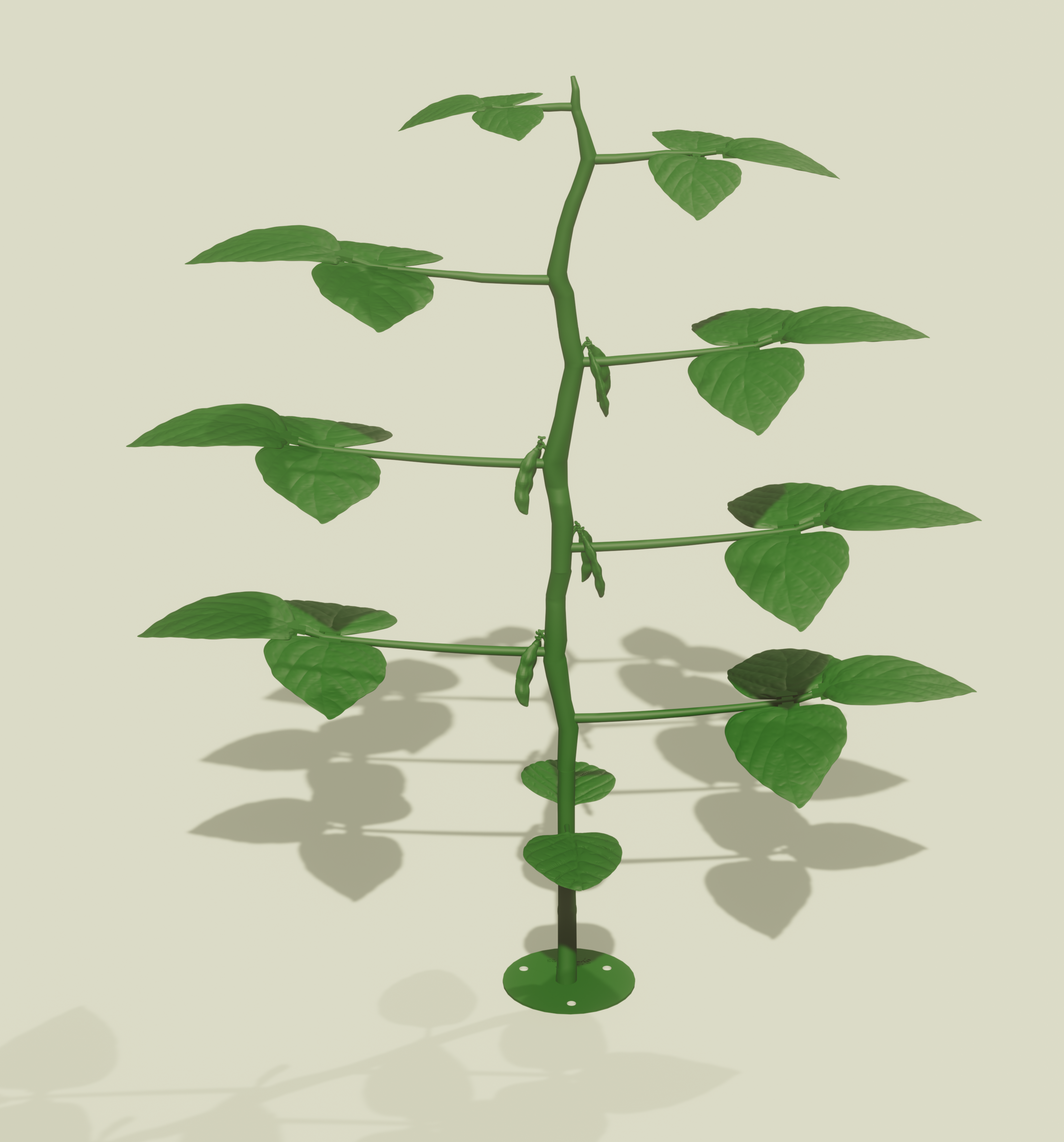
<!--more--></p>

<p>In the field of extension, our most enduring challenge is also our greatest opportunity: to translate complex, dynamic natural systems into clear, accessible knowledge. At the heart of this mission is the need for tools that not only inform but also inspire. It is from this need that inspired the modular, and interactive 3D printed model of the soybean plant.</p>

<p><em>From Abstract Concept to Tangible Reality</em></p>

<p>The vision was to move beyond two-dimensional imagery and create a three-dimensional teaching aid that could be deconstructed and reassembled. In order to foster a deeper, intuitive understanding of soybean morphology, development, and the tangible impact of environmental stressors.</p>

<p>The first step of this project was collecting resources and references to begin my design. When creating things like this its not as simple as directly copying what you see. You are limited by the manufacturing process and material constraints. In addition to that when creating a scientific model its important to synthesize all refrences down to the most essential information, while removing excess distracting and often unclear elements. This often means changing the shape, size, and organization of the model. Doing so in a way that does not take a way from the true representation of the specimen is a challenge.</p>

<p><img src="/assets/images/Soybean/SoybeanCropped.PNG" alt="Soybean_Render" /></p>

<p>Some detail has been removed from the interactive plant to keep things running smoothly</p>

<div class="three-viewer-container">
    <div class="three-viewer" id="soybean-viewer">
        <div class="viewer-loading">Loading 3D Viewer...</div>
        <div class="viewer-controls">
            <h4>3D Soybean Model</h4>
            <p>🖱️ Click &amp; drag to rotate</p>
            <p>🔄 Scroll to zoom</p>
            <p>🎮 Auto-rotate enabled</p>
        </div>
        <div class="viewer-info">
            <p>Powered by Three.js</p>
        </div>
    </div>
</div>

<style>
.three-viewer-container {
    margin: 30px 0;
    text-align: center;
}

.three-viewer {
    width: 100%;
    max-width: 800px;
    height: 500px;
    margin: 0 auto;
    border: 2px solid #333;
    border-radius: 10px;
    overflow: hidden;
    box-shadow: 0 4px 8px rgba(0, 0, 0, 0.3);
    background: #222;
    position: relative;
}

.three-viewer canvas {
    display: block;
    width: 100%;
    height: 100%;
    cursor: grab;
}

.three-viewer canvas:active {
    cursor: grabbing;
}

.viewer-controls {
    position: absolute;
    top: 10px;
    left: 10px;
    background: rgba(0, 0, 0, 0.7);
    padding: 10px;
    border-radius: 5px;
    color: white;
    font-family: Arial, sans-serif;
    font-size: 12px;
    z-index: 10;
}

.viewer-controls h4 {
    margin: 0 0 5px 0;
    font-size: 14px;
}

.viewer-controls p {
    margin: 2px 0;
    font-size: 11px;
}

.viewer-info {
    position: absolute;
    bottom: 10px;
    right: 10px;
    background: rgba(0, 0, 0, 0.7);
    padding: 8px;
    border-radius: 5px;
    color: white;
    font-family: Arial, sans-serif;
    font-size: 11px;
    z-index: 10;
}

.viewer-loading {
    position: absolute;
    top: 50%;
    left: 50%;
    transform: translate(-50%, -50%);
    color: white;
    font-family: Arial, sans-serif;
    font-size: 16px;
    z-index: 10;
}

/* Responsive design */
@media (max-width: 768px) {
    .three-viewer {
        height: 300px;
        margin: 15px auto;
    }
    
    .viewer-controls {
        font-size: 10px;
        padding: 8px;
    }
    
    .viewer-info {
        font-size: 10px;
        padding: 6px;
    }
}

/* Dark theme compatibility */
.post .three-viewer {
    border-color: #555;
}

/* Animation for smooth transitions */
.three-viewer {
    transition: box-shadow 0.3s ease;
}

.three-viewer:hover {
    box-shadow: 0 6px 12px rgba(0, 0, 0, 0.4);
}
</style>

<script>
// Initialize the viewer with custom model path when DOM is loaded
document.addEventListener('DOMContentLoaded', function() {
    const viewerContainer = document.getElementById('soybean-viewer');
    if (viewerContainer) {
        // Add model path to the container as a data attribute
        viewerContainer.setAttribute('data-model-path', '/assets/images/Soybean/SoybeanWhole2.obj');
    }
});
</script>

<p>Through an iterative process of printing and refinement, a full-scale, physical representation of a soybean plant was created.
The model’s core advantage is its modularity. Each leaf is a discrete unit that affixes securely to the stem via an internal clipping system. This design choice transforms the model from a passive display into an active learning experience, enabling educators to provide a tangible proxy for in-field observation, allowing individuals to practice identifying and locating specific structures.
The majority of the feedback thus far has been on how it really stands out in an outreach setting and how great the interactivity elements are.</p>

<!-- ![Soybean_Real](/assets/images/Soybean/Soybean3D_Printed.jpg) -->

<p><em>The Next Steps</em></p>

<p>The enthusiastic reception of this initial model is both validating and invigorating. It has recharged my motivation as we move into the next phase of development: the creation of a comprehensive library of interchangeable components that depict specific biotic stressors.
This evolving library will soon enable educators to visually and tactilely demonstrate the distinct signatures of common threats:</p>

<p>-Damage from soy bean Gall Midge
-The distinctive window-paning damage caused by bean leaf beetles.
-The progressive defoliation patterns of injured plants</p>

<p>This capability will transform the model into a diagnostic toolkit, empowering individuals to recognize, differentiate, and discuss management strategies for these pests with greater confidence and accuracy.</p>

<p><em>A work in progress</em></p>

<p>This project is, at its core, a response to the needs of the educational community. The insightful feedback we’ve already gathered at recent events is the critical ingredient for its continued development. We are cultivating this tool not in isolation, but in partnership with you.
We invite your collaboration. What specific modules—be it for disease, nutrient deficiency, or other pests—would most profoundly impact your educational programs? Your expertise is essential as we nurture this project to its full potential.
This model represents a seed of an idea: that through creativity and technology, we can foster a more profound connection to the science that feeds our world. We look forward to sharing its continued growth with you.</p>

<p>Please don’t hesitate to reach out with feedback or comments via email at JatomSynergies@gmail.com</p>]]></content><author><name>Jaevyn Atom Hoyt</name></author><category term="3DPrinting" /><category term="Blender" /><category term="Portfolio" /><category term="Art" /><summary type="html"><![CDATA[I designed, 3D modeled, and 3D printed a life size, modular soybean plant.]]></summary></entry><entry><title type="html">Cell Shading</title><link href="https://cattacular.github.io/Cell_Shading/" rel="alternate" type="text/html" title="Cell Shading" /><published>2025-04-26T00:00:00+00:00</published><updated>2025-04-26T00:00:00+00:00</updated><id>https://cattacular.github.io/Cell_Shading</id><content type="html" xml:base="https://cattacular.github.io/Cell_Shading/"><![CDATA[<p>Playing with a Cartoonlike rendering technique
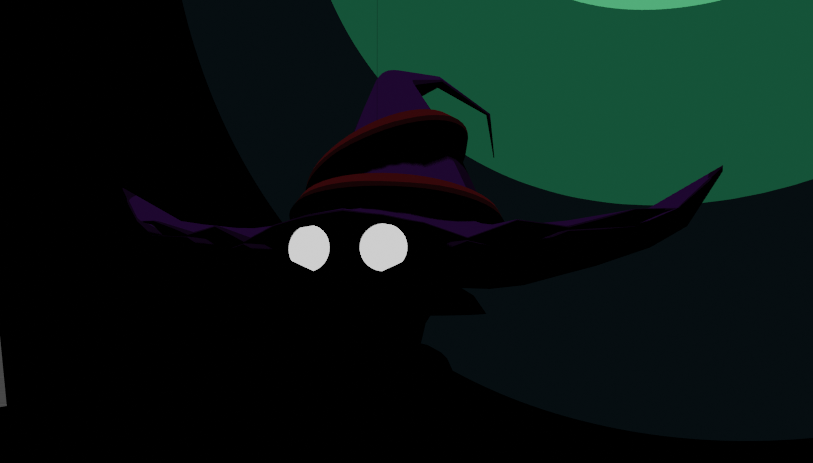
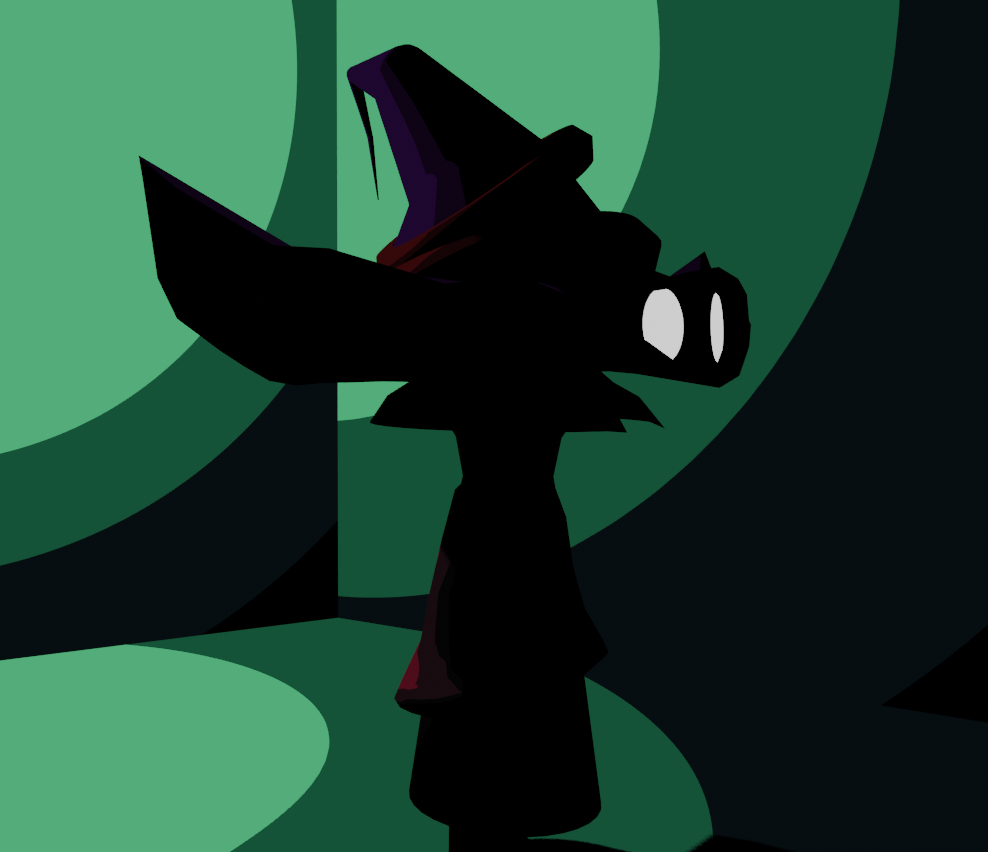
<!--more--></p>

<p><img src="/assets/images/Cell_Shading/Sketch_Front.png" alt="Sketch_Front" />
Varius renders using cell shading techniques</p>

<div style="text-align: center;">
  <video controls="" loop="" style="max-width: 100%; width: 600px; height: auto;">
    <source src="/assets/Video/CellShrooms.mp4" type="video/mp4" />
    Your browser does not support the video tag.
  </video>
</div>

<p><img src="/assets/images/Cell_Shading/Sketch_Side.png" alt="Sketch_Side" />
<img src="/assets/images/Cell_Shading/Sketch_Front_Dark.png" alt="Sketch_Dark" /></p>

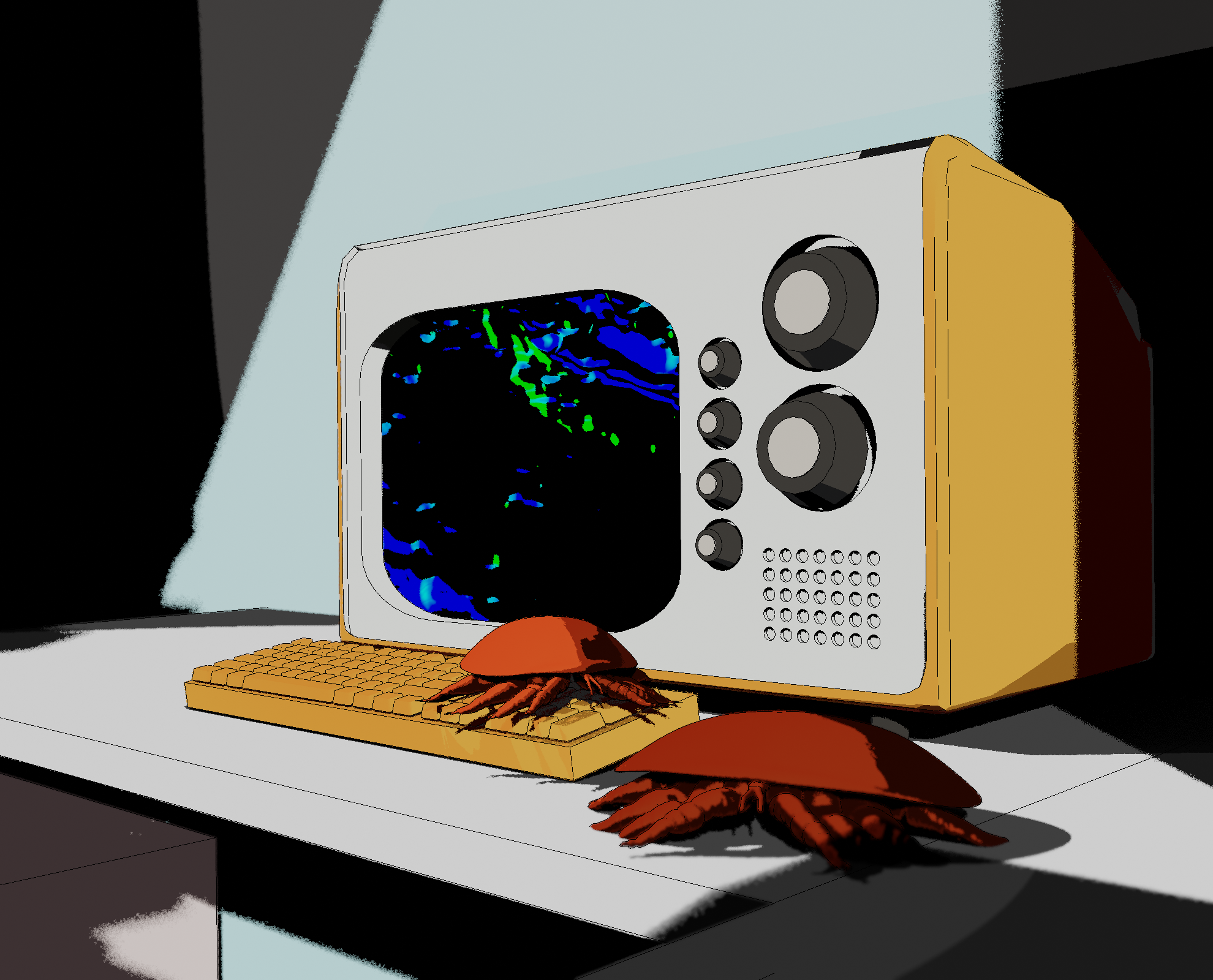
<p><img src="/assets/images/Cell_Shading/Mites2.png" alt="Sketch_Front" /></p>]]></content><author><name>Jaevyn Atom Hoyt</name></author><category term="Portfolio" /><category term="Blender" /><category term="Art" /><summary type="html"><![CDATA[Playing with a Cartoonlike rendering technique]]></summary></entry><entry><title type="html">Bitsy</title><link href="https://cattacular.github.io/Bitsy/" rel="alternate" type="text/html" title="Bitsy" /><published>2025-03-20T00:00:00+00:00</published><updated>2025-03-20T00:00:00+00:00</updated><id>https://cattacular.github.io/Bitsy</id><content type="html" xml:base="https://cattacular.github.io/Bitsy/"><![CDATA[<p>A Small world building excersize in Bitsy.
   <!--more--></p>

<p>First play the game. Swipe to move on phone. Arrow keys and spacebar on PC.</p>

<p><a href="/assets/Bitsy/finally_awake.html" target="_blank">Play Finally Awake</a></p>

<p>I love the accessibility of Bitsy games. Its cool to see what you can come up with in such a constrained environment. Finally awake is the first game I’ve made in bitsy.
 Its themed off of my phytoria world building. Another project I’ve been working on for years at this point. Eventually there will be a post for it specifically. The goal of the worldbuilding was to have a narrative foundation to my work in various mediums. Like concept art of my own world.</p>

<p>In “finally awake” you play as someone from the old world. You seem to be the 2nd one to have woken up. before long you come across the remains of one of your own. Right now the game is only a demo of what it could be, ending after the skeleton encounter.</p>]]></content><author><name>Jaevyn Atom Hoyt</name></author><category term="GameDesign" /><category term="Art" /><summary type="html"><![CDATA[A Small world building excersize in Bitsy.]]></summary></entry><entry><title type="html">Bumble Bee Cam</title><link href="https://cattacular.github.io/Bumble-Bee-Live-Stream/" rel="alternate" type="text/html" title="Bumble Bee Cam" /><published>2025-03-01T00:00:00+00:00</published><updated>2025-03-01T00:00:00+00:00</updated><id>https://cattacular.github.io/Bumble-Bee-Live-Stream</id><content type="html" xml:base="https://cattacular.github.io/Bumble-Bee-Live-Stream/"><![CDATA[<p>I created a live stream of Schramm indoor bumble bee colony.
<!--more--></p>

<p>While normally something like this isn’t all that complicated. You just have to get an IP camera talking to OBS, than get OBS talking to a youtube live stream. Alas we had an epic struggle with government level firewalls. There was a lot of back and forth with their tech guy, who had to contact someone even higher to make the changes. Just like with most games of telephone, things tend to get muddled up.</p>

<p>In the end though we succeeded. We are making some final adjustments now for the mounting of the camera, but before long there should be an official link here to the stream!</p>

<p>For now we have the link to our first live stream</p>
<iframe width="560" height="315" src="https://www.youtube.com/embed/ecgMt0HNtJc" title="Bumble Bee Live Stream" frameborder="0" allow="accelerometer; autoplay; clipboard-write; encrypted-media; gyroscope; picture-in-picture; web-share" allowfullscreen=""></iframe>

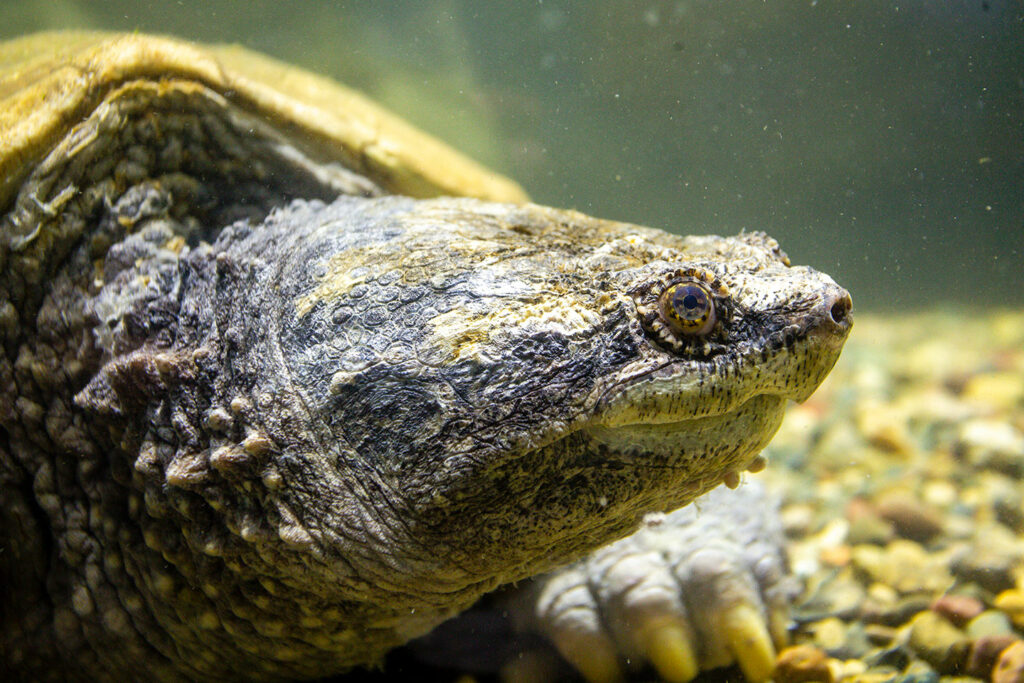
<p>Beeleive it or not the UNL Bee lab is responsible for maintaining the bumble bee colony at Schramm. I actually got my first bumble bee sting setting up the colony in 2024. The Beelab also hosts a number of workshops there. I highly reccomend checking the location out, even on your own time. Its a beautiful nature center with lots of educational activities for the little ones. They also have some very cool animals to see. My personal favorite is the giant snapping turtle.</p>

<p><img src="/assets/images/SnapDaddy.jpg" alt="---" /></p>

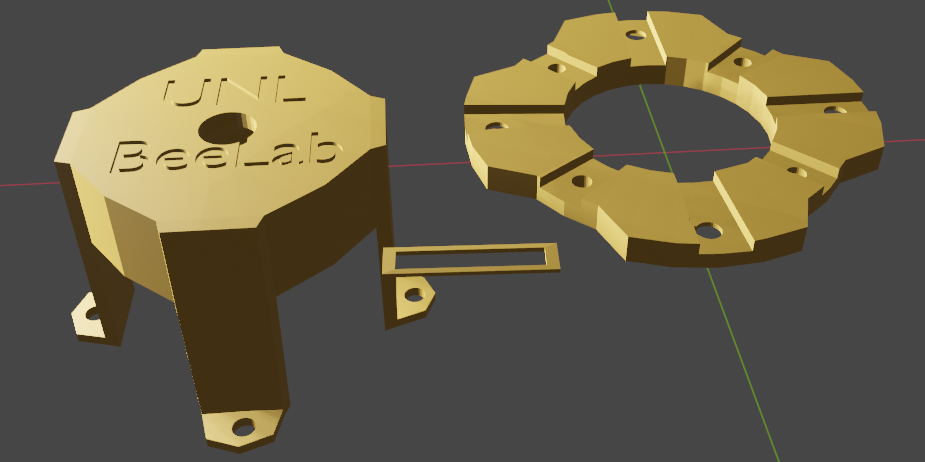
<p>In addition to setting up the camera itself, I also created a custom mount for the camera and 3D printed it.</p>

<p><img src="/assets/images/BumbleCamModel.png" alt="---" /></p>]]></content><author><name>Jaevyn Atom Hoyt</name></author><category term="Portfolio" /><category term="YouTube" /><summary type="html"><![CDATA[I created a live stream of Schramm indoor bumble bee colony.]]></summary></entry><entry><title type="html">Live lights at El Proyecto</title><link href="https://cattacular.github.io/Lights-at-Proyecto/" rel="alternate" type="text/html" title="Live lights at El Proyecto" /><published>2024-10-31T00:00:00+00:00</published><updated>2024-10-31T00:00:00+00:00</updated><id>https://cattacular.github.io/Lights-at-Proyecto</id><content type="html" xml:base="https://cattacular.github.io/Lights-at-Proyecto/"><![CDATA[<p>I handled live lights for the Halloween show at El Proyecto for many lovely local musicians.
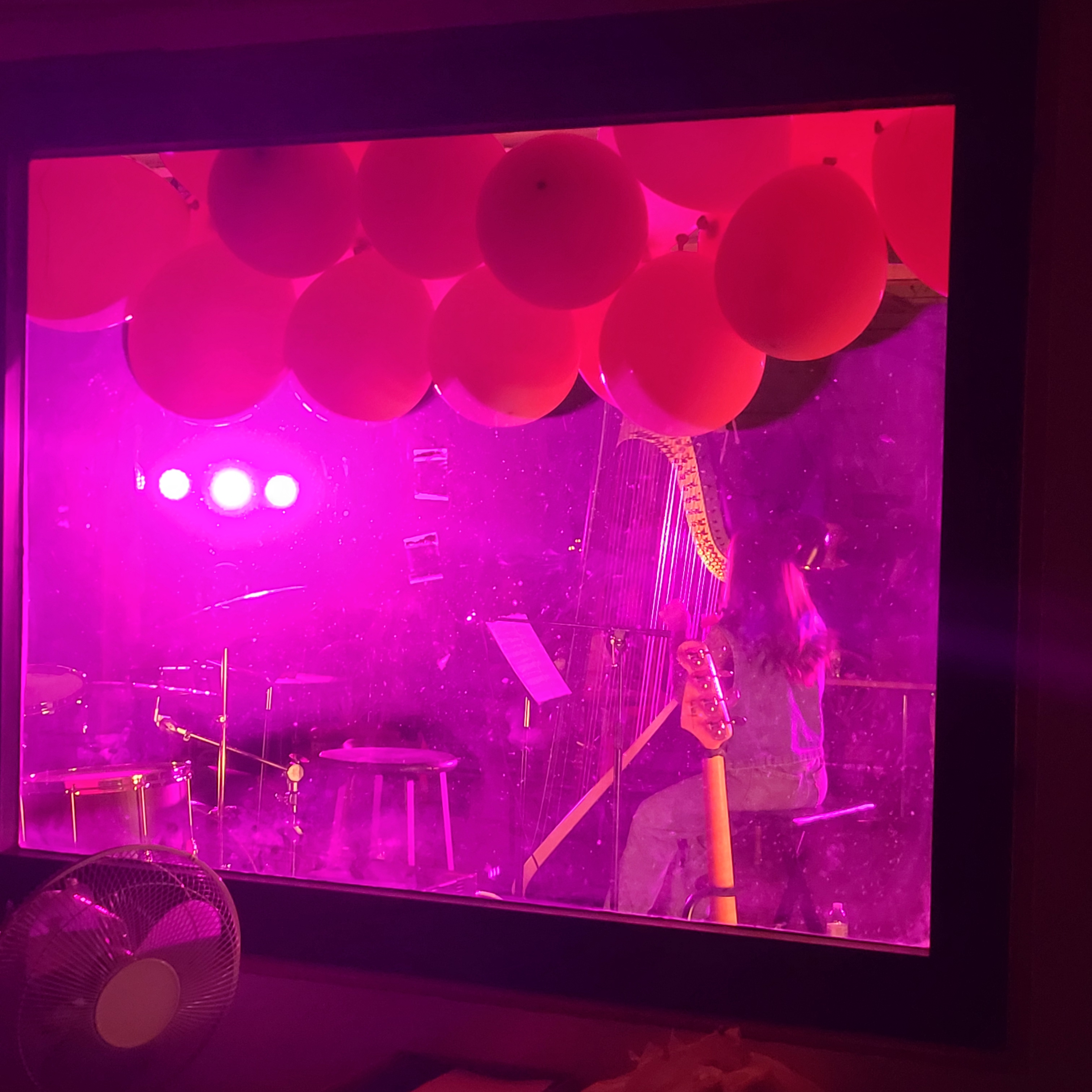
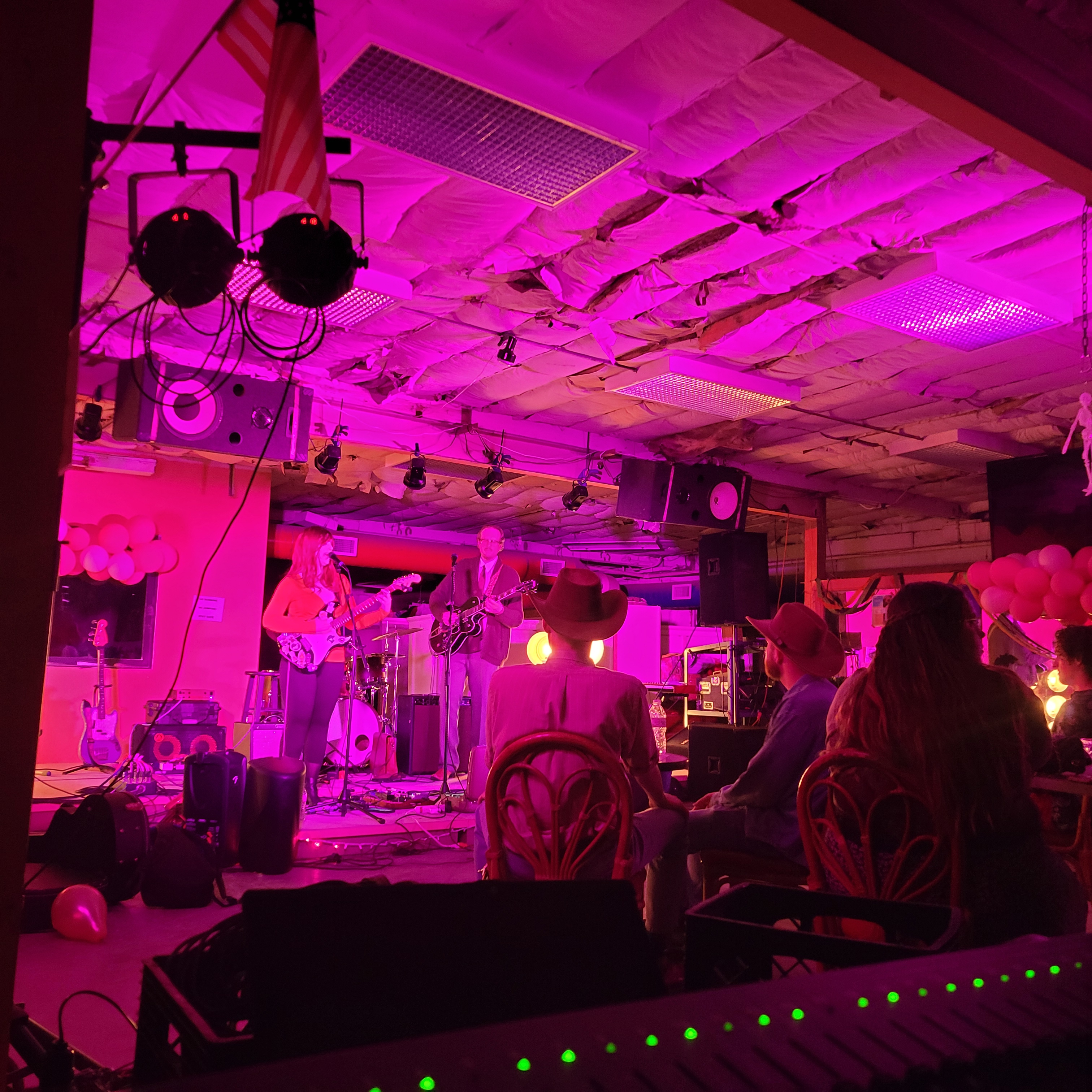
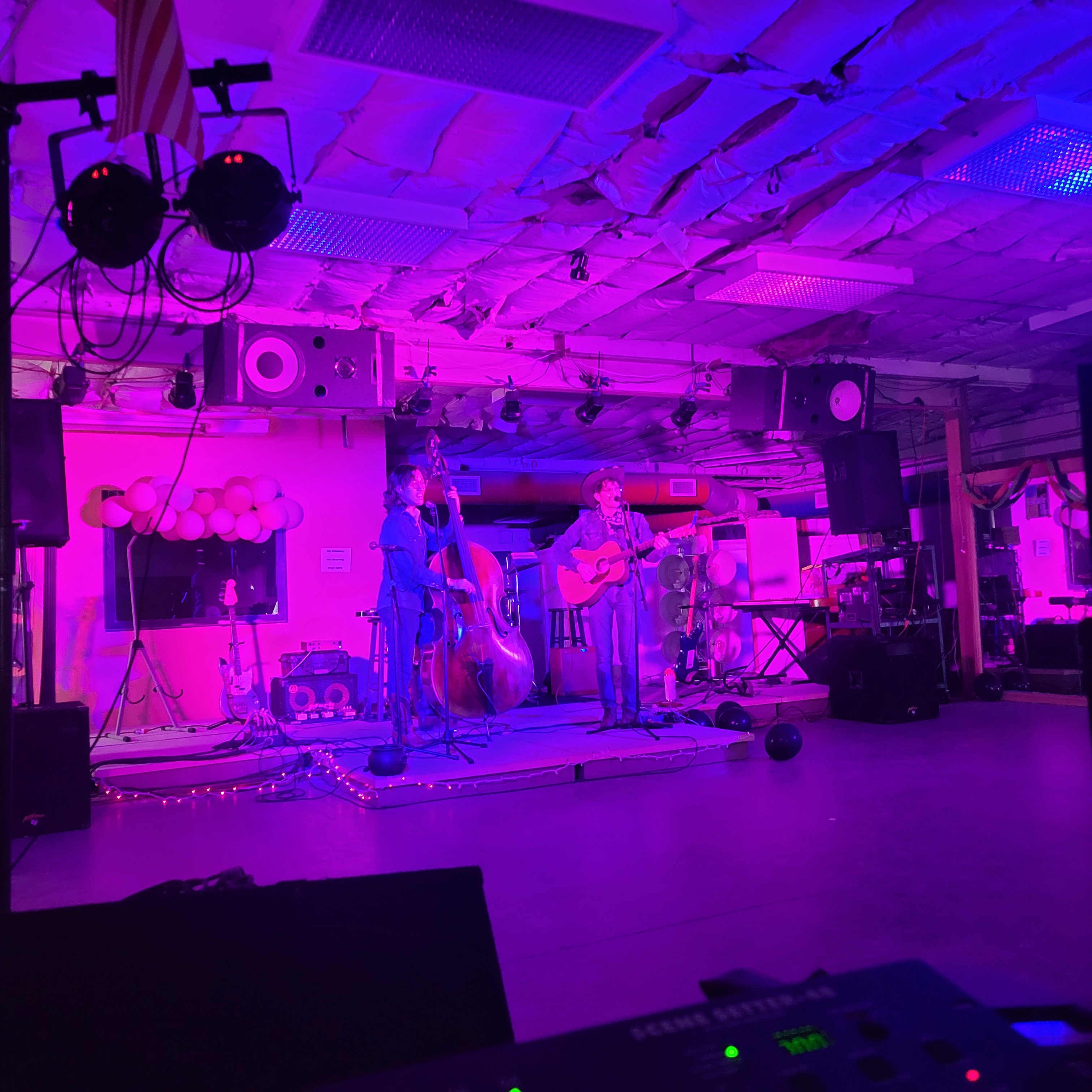
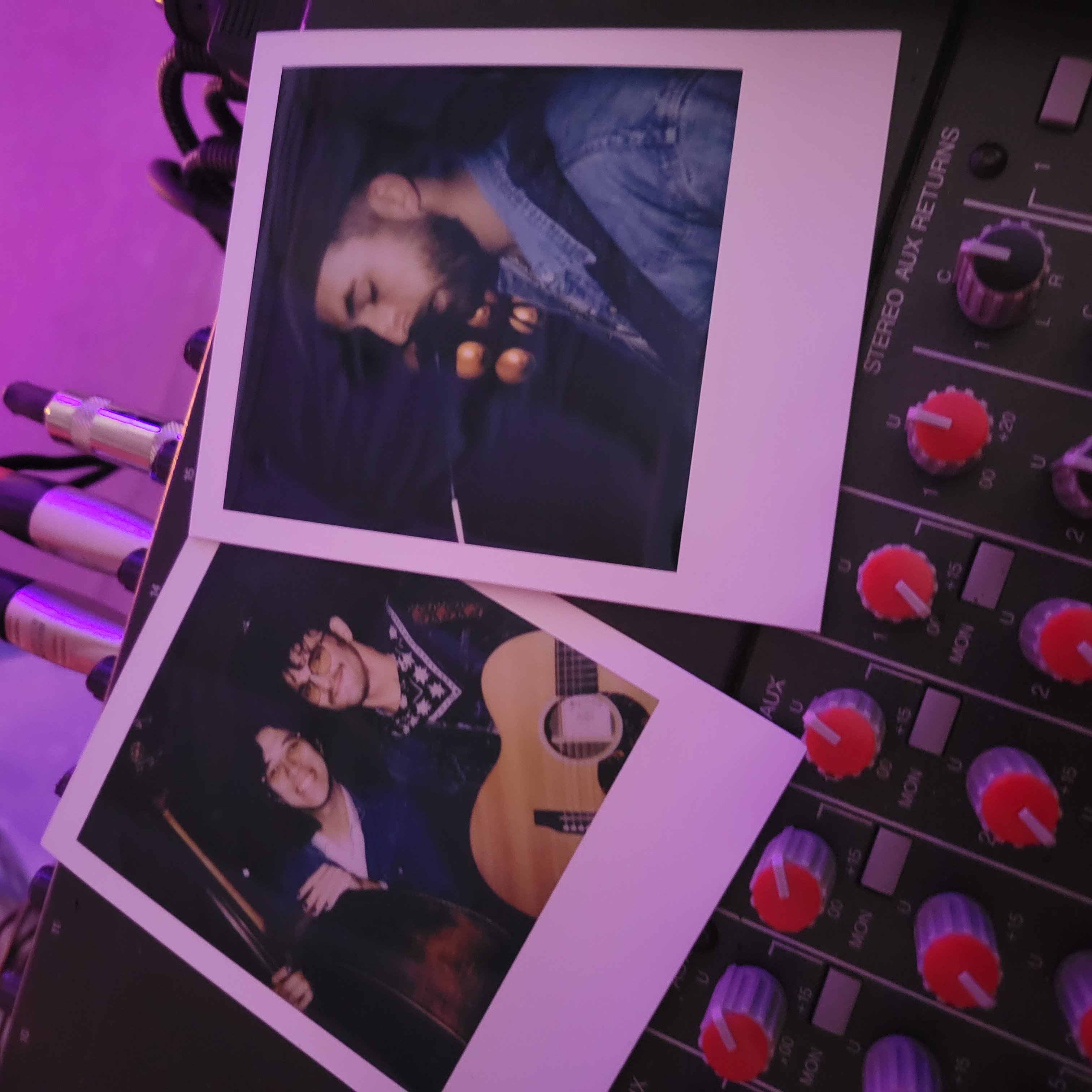
<!--more--></p>

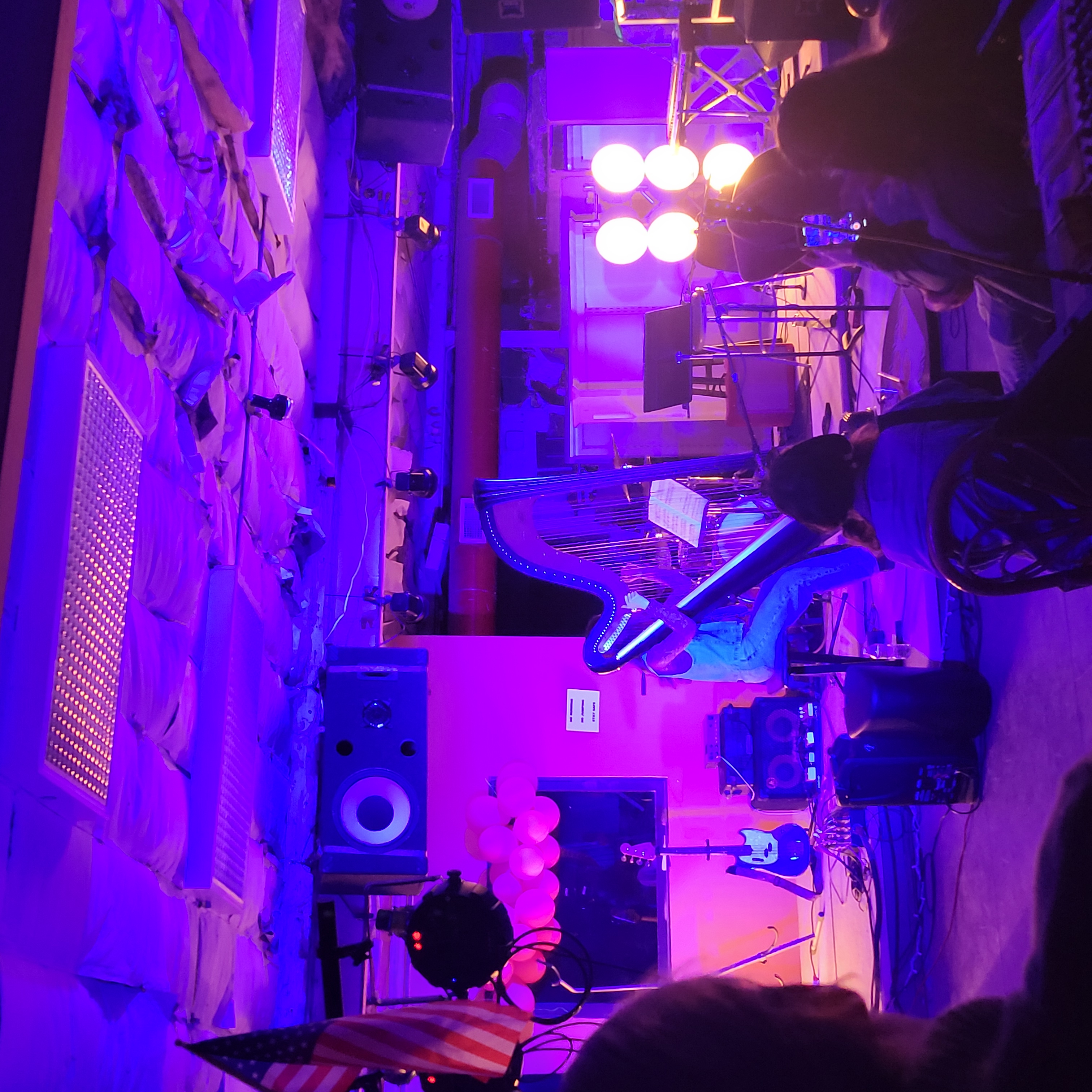
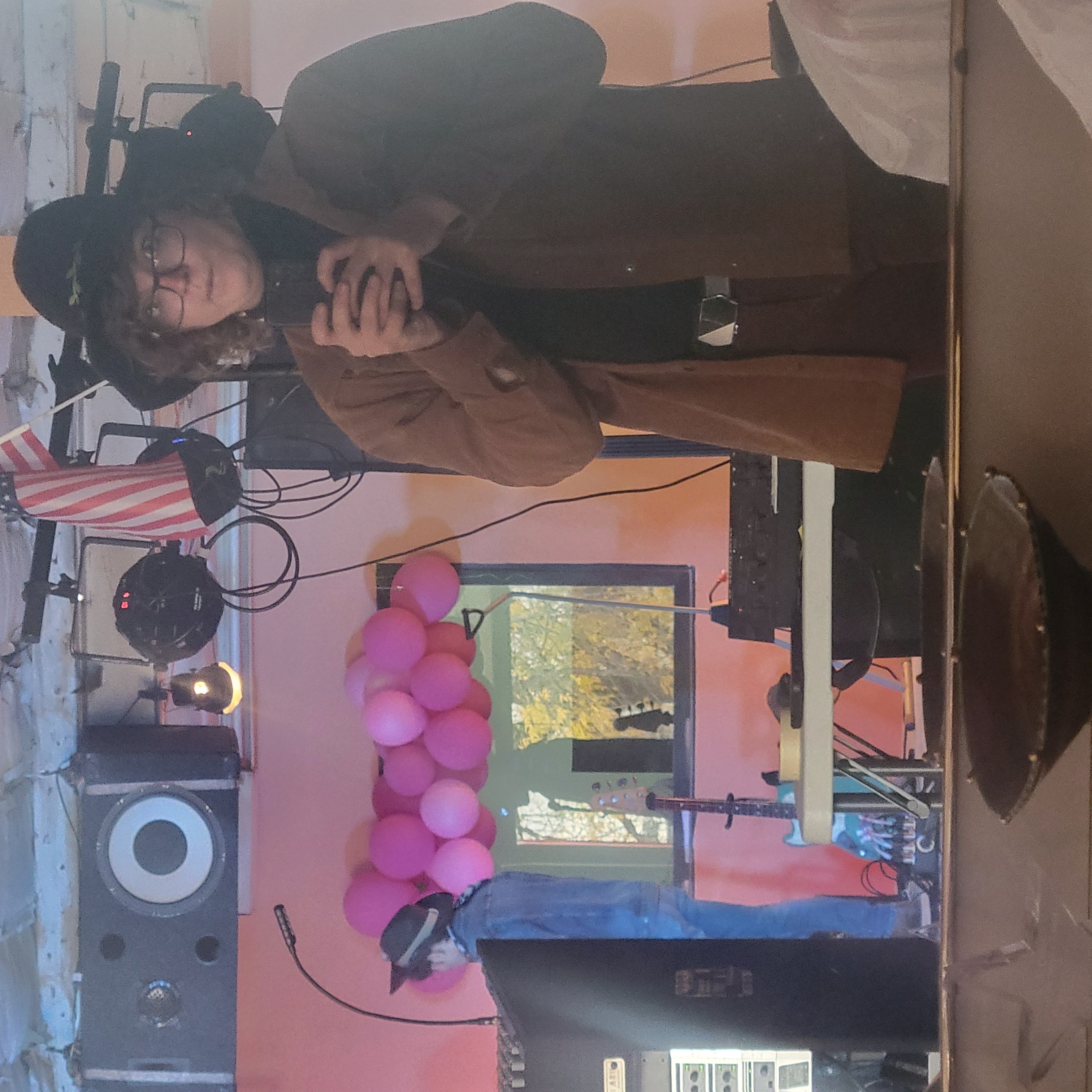
<p>This was an amazing show. There isn’t too much to say about my role in things. I manned the light board and controlled Color &amp; brightness of the lights. Most of the pictures I captured are very pink but the lights were typically slowly changing outside of a couple faster ques. I did end up getting quite a few complements on the lights specifically which felt great! Its always good to know the performers are enjoying whats going on.</p>

<p><img src="/assets/images/Proyecto/Harp_Proyecto.jpg" alt="Harp" />
<img src="/assets/images/Proyecto/Harp2_Proyecto.jpg" alt="Harp02" />
<img src="/assets/images/Proyecto/Show1_Proyecto.jpg" alt="Show1" />
<img src="/assets/images/Proyecto/Show02_Proyecto.jpg" alt="Show2" />
<img src="/assets/images/Proyecto/Poloroid_Proyecto.jpg" alt="Poloroid" />
<img src="/assets/images/Proyecto/Selie_Proyecto.jpg" alt="Selfie" /></p>]]></content><author><name>Jaevyn Atom Hoyt</name></author><category term="Live" /><summary type="html"><![CDATA[I handled live lights for the Halloween show at El Proyecto for many lovely local musicians.]]></summary></entry><entry><title type="html">Terminus</title><link href="https://cattacular.github.io/Terminus-Reboot/" rel="alternate" type="text/html" title="Terminus" /><published>2024-05-25T00:00:00+00:00</published><updated>2024-05-25T00:00:00+00:00</updated><id>https://cattacular.github.io/Terminus-Reboot</id><content type="html" xml:base="https://cattacular.github.io/Terminus-Reboot/"><![CDATA[<p>My Capstone documentation
<!--more-->
<img src="/assets/images/Terminus/Terminus_Logo.png" alt="---" /></p>

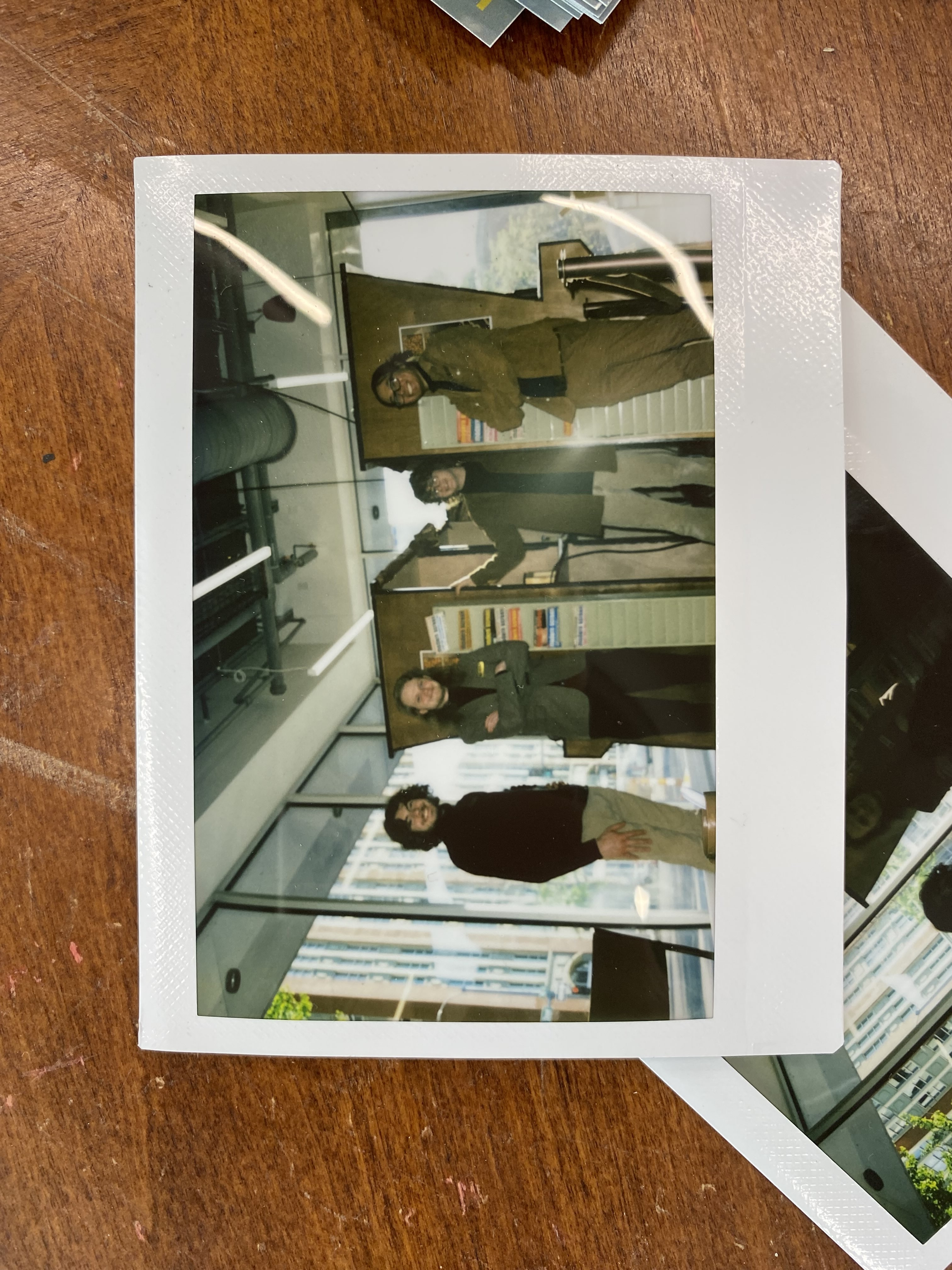
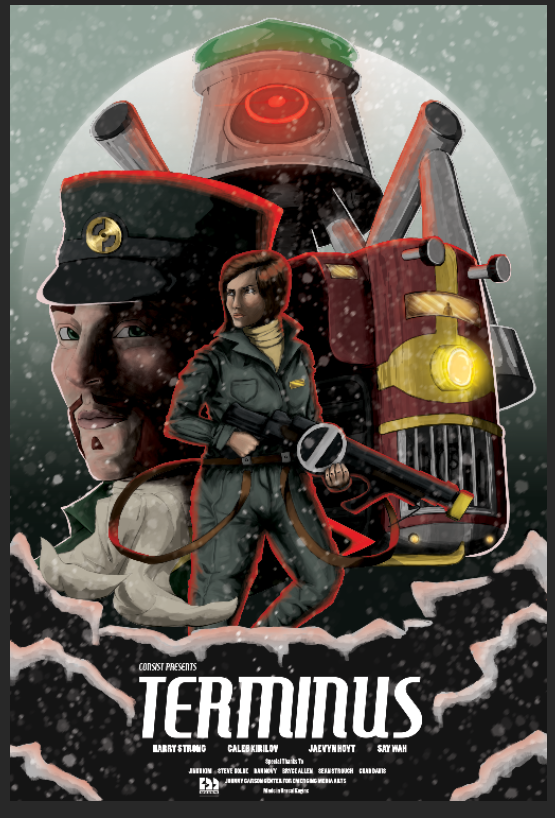
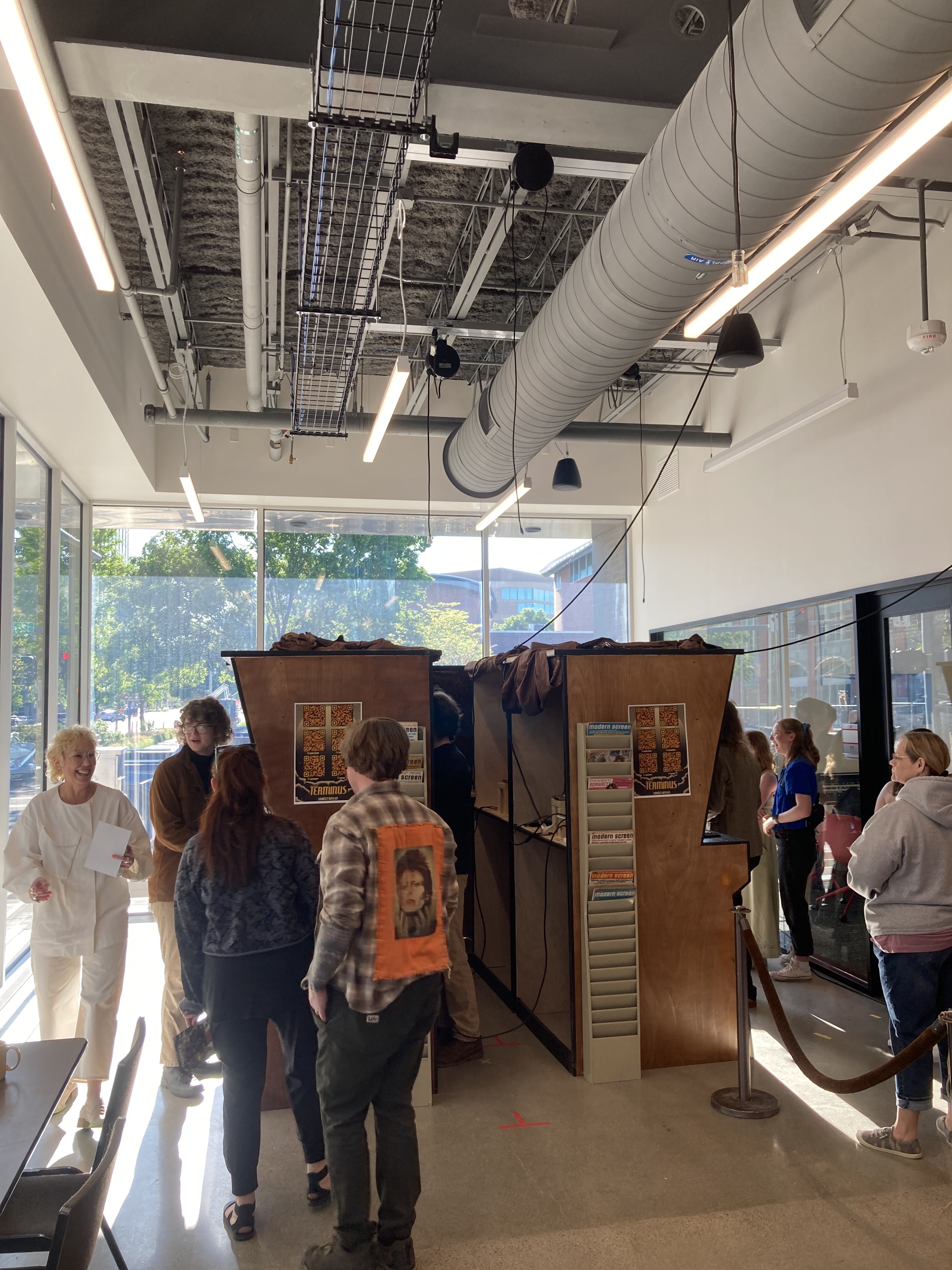
<p>Terminus was the capstone of my Emerging Media Arts Bachelors degree. It’s a first person stealth/puzzle shooter taking place on a giant arctic monorail. The project started during our senior year, with us having the summer before to put together the proposal.
I was the last person to join the Terminus team.</p>

<p><img src="/assets/images/Terminus/Terminus_Poloroid.jpg" alt="Image Description" /></p>

<p>My capstone was originally going to be a scale 3D model of the CEMA building. Then informed by a survey of students, I would design a speculative future for the building. Alas when I was invited to join Terminus, I didn’t hesitate to join. Especially since I was friends with all 3 of its members.</p>

<ul>
  <li>Harry Strong  - Director &amp; Unreal Engine Whizz</li>
  <li>Say Wa        - Lead 3D modeler &amp; Texturer</li>
  <li>Caleb Kirilov - Sound &amp; Set Design</li>
</ul>

<p>I joined as the Level Designer &amp; builder. Offering some of my 3D modeling skills as well.
We worked on the project for the whole year culminating in a live showcase of 1 level of our game. Displayed in arcade cabinets we put together ourselves. The final showing was by far my favorite part of the experience, we got in costume and everything. Caleb had prepared the rest of the set to be like a retro living room.
We took a vertical slice approach, opposed the also very common, minimum viable product approach. A “Vertical Slice” is when a developement team takes a small section of a game. Usually just one level or scene, and polishes it to completion.
Whereas a minimum viable product would be looking at the scope of the whole game, and trying to make it playable beginning to end. Then going back and adding artistic details.</p>

<p>Rumor has it that developement may be continuing in the future…</p>

<p><img src="/assets/images/Terminus/Terminus_Me.jpg" alt="---" />
<img src="/assets/images/Terminus/Terminus.png" alt="---" /></p>

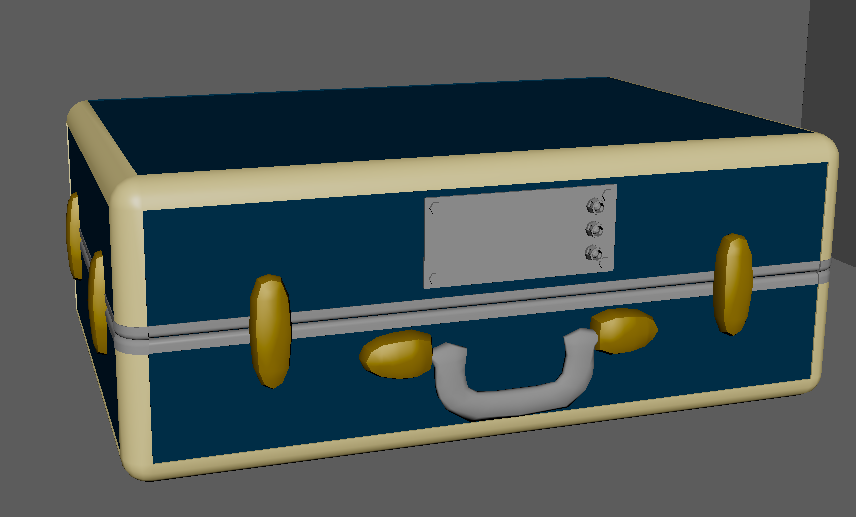
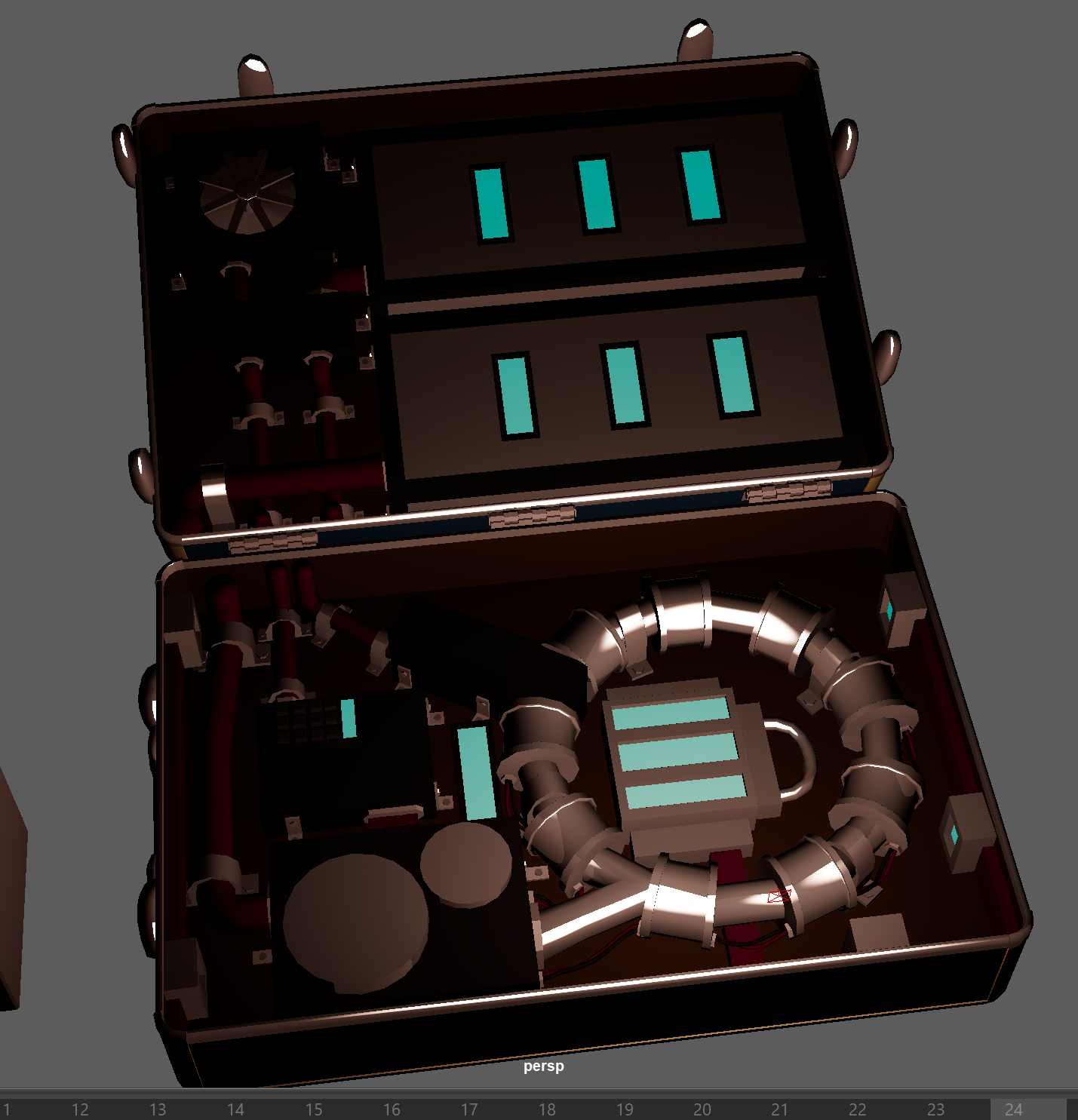
<p>My favorite model that I’ve worked on for this project has been this suitcase. Inside is a high tech device that I don’t want to reveal to much about…</p>

<p><img src="/assets/images/Terminus/Suitcase_Boom02.png" alt="---" />
<img src="/assets/images/Terminus/Suitcase_Boom01.png" alt="---" /></p>

<h2 id="interactive-3d-suitcase-model">Interactive 3D Suitcase Model</h2>

<p>Here’s an interactive 3D model of the suitcase I created for Terminus. You can rotate, zoom, and explore the model to see the high-tech device inside!</p>

<div class="three-viewer-container">
    <div class="three-viewer" id="terminus-suitcase">
        <div class="viewer-loading">Loading 3D Viewer...</div>
        <div class="viewer-controls">
            <h4>Terminus Suitcase - Interactive 3D Model</h4>
            <p>🖱️ Click &amp; drag to rotate</p>
            <p>🔄 Scroll to zoom</p>
            <p>🎮 Auto-rotate enabled</p>
        </div>
        <div class="viewer-info">
            <p>Powered by Three.js</p>
        </div>
    </div>
</div>

<style>
.three-viewer-container {
    margin: 30px 0;
    text-align: center;
}

.three-viewer {
    width: 100%;
    max-width: 800px;
    height: 500px;
    margin: 0 auto;
    border: 2px solid #333;
    border-radius: 10px;
    overflow: hidden;
    box-shadow: 0 4px 8px rgba(0, 0, 0, 0.3);
    background: #222;
    position: relative;
}

.three-viewer canvas {
    display: block;
    width: 100%;
    height: 100%;
    cursor: grab;
}

.three-viewer canvas:active {
    cursor: grabbing;
}

.viewer-controls {
    position: absolute;
    top: 10px;
    left: 10px;
    background: rgba(0, 0, 0, 0.7);
    padding: 10px;
    border-radius: 5px;
    color: white;
    font-family: Arial, sans-serif;
    font-size: 12px;
    z-index: 10;
}

.viewer-controls h4 {
    margin: 0 0 5px 0;
    font-size: 14px;
}

.viewer-controls p {
    margin: 2px 0;
    font-size: 11px;
}

.viewer-info {
    position: absolute;
    bottom: 10px;
    right: 10px;
    background: rgba(0, 0, 0, 0.7);
    padding: 8px;
    border-radius: 5px;
    color: white;
    font-family: Arial, sans-serif;
    font-size: 11px;
    z-index: 10;
}

.viewer-loading {
    position: absolute;
    top: 50%;
    left: 50%;
    transform: translate(-50%, -50%);
    color: white;
    font-family: Arial, sans-serif;
    font-size: 16px;
    z-index: 10;
}

/* Responsive design */
@media (max-width: 768px) {
    .three-viewer {
        height: 300px;
        margin: 15px auto;
    }
    
    .viewer-controls {
        font-size: 10px;
        padding: 8px;
    }
    
    .viewer-info {
        font-size: 10px;
        padding: 6px;
    }
}

/* Dark theme compatibility */
.post .three-viewer {
    border-color: #555;
}

/* Animation for smooth transitions */
.three-viewer {
    transition: box-shadow 0.3s ease;
}

.three-viewer:hover {
    box-shadow: 0 6px 12px rgba(0, 0, 0, 0.4);
}
</style>

<script>
// Initialize the viewer with custom model path when DOM is loaded
document.addEventListener('DOMContentLoaded', function() {
    const viewerContainer = document.getElementById('terminus-suitcase');
    if (viewerContainer) {
        // Add model path to the container as a data attribute
        viewerContainer.setAttribute('data-model-path', '/assets/images/Terminus/Suitcase.obj');
    }
});
</script>

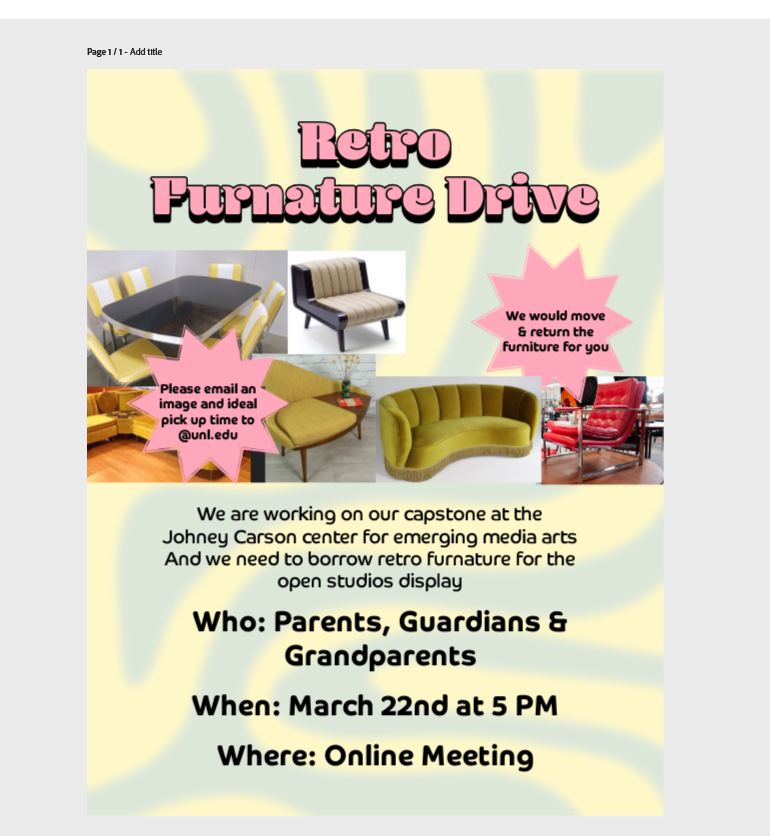
<p>To be honest though, the best moment for me working on terminus was the last couple days leading up to open studios, where we presented to the public for the first time. Working on the arcade cabinets for this project was a blast. We ended up making 5 massive cabinets with no time to spare. The stain was drying as we put up the exhibit the day of the show. We pulled it off though and were able to get people playtesting our game. Caleb also knocked it out of the part with the set design. It was very analog retro style. He ended up holding a whole furniture drive to get all the pieces together</p>

<p><img src="/assets/images/Terminus/FurnatureDrive.png" alt="---" /></p>

<p><img src="/assets/images/Terminus/Terminus_Megan+mom.jpg" alt="---" /></p>

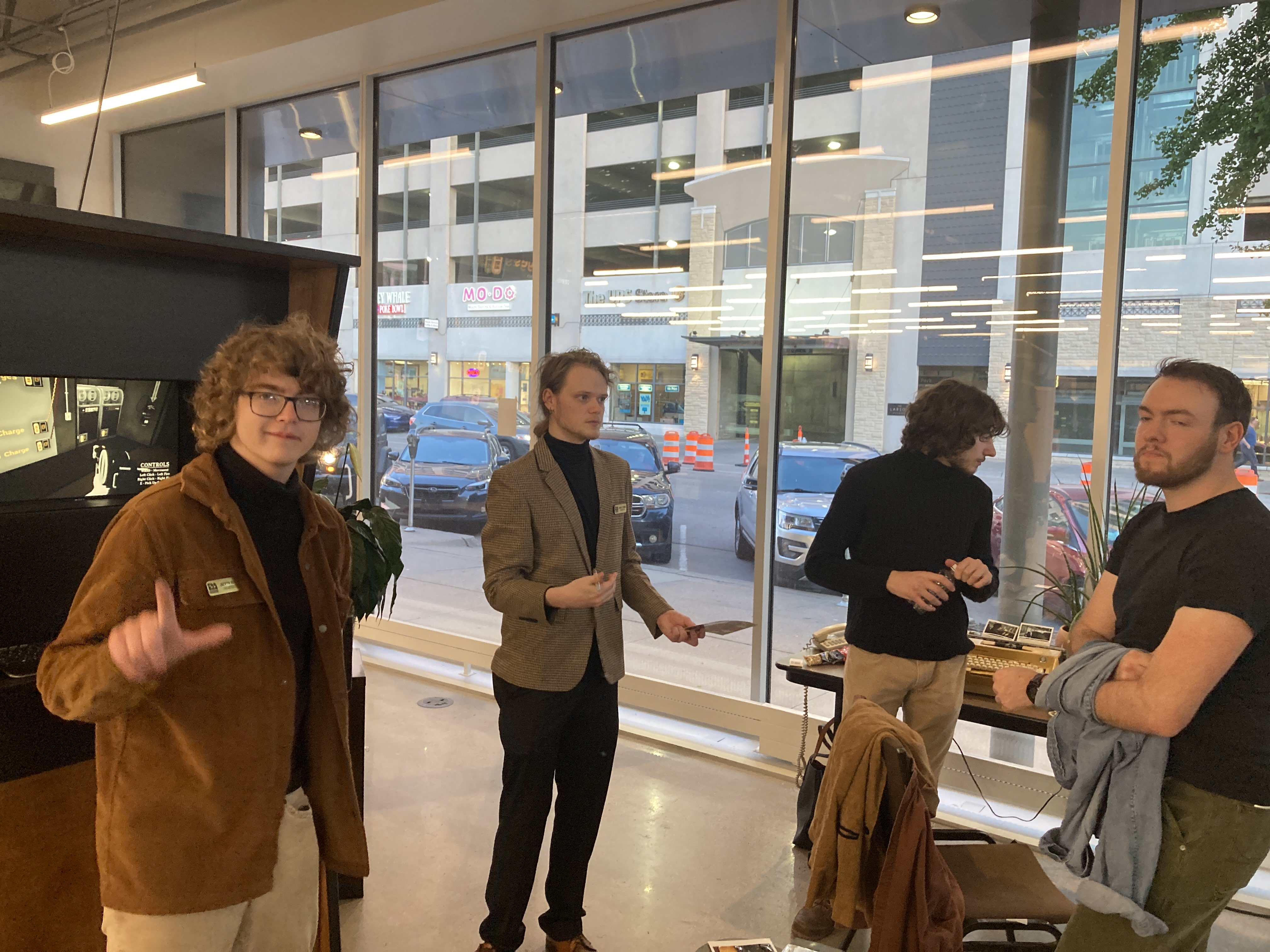
<p>Heres a photo of me and my family chatting with EMA’s director Megan Elliot.</p>]]></content><author><name>Jaevyn Atom Hoyt</name></author><category term="Portfolio" /><category term="Unreal_Engine" /><category term="GameDesign" /><summary type="html"><![CDATA[My Capstone documentation]]></summary></entry><entry><title type="html">Goblin Kitchen</title><link href="https://cattacular.github.io/Goblin-Kitchen/" rel="alternate" type="text/html" title="Goblin Kitchen" /><published>2024-01-25T00:00:00+00:00</published><updated>2024-01-25T00:00:00+00:00</updated><id>https://cattacular.github.io/Goblin-Kitchen</id><content type="html" xml:base="https://cattacular.github.io/Goblin-Kitchen/"><![CDATA[<p>Goblin kitchen is a game about working in a world thats not made for you. 
<!--more-->
In the game you play as a goblin tasked with cooking meals for your taverns customers.</p>

<p>I was the creative director &amp; 3D modeler for this project.</p>

<iframe width="560" height="315" src="https://www.youtube.com/embed/d1HAApUUcRQ" title="Goblin Kitchen" frameborder="0" allow="accelerometer; autoplay; clipboard-write; encrypted-media; gyroscope; picture-in-picture; web-share" allowfullscreen=""></iframe>

<!-- 360 panorama
assets\images\GoblinKitchen\Goblin_Panorama.jpg -->

<div id="Goblin_Panorama" style="width: 100%; height: 500px; border: 1px solid #ccc; background: #f0f0f0; display: flex; align-items: center; justify-content: center;">
  <p>Loading 360° panorama...</p>
</div>

<script>
document.addEventListener('DOMContentLoaded', function() {
    console.log('Initializing panorama viewer for: Goblin_Panorama');
    console.log('Image path: /assets/images/GoblinKitchen/Goblin_Panorama.jpg');
    
    if (typeof pannellum === 'undefined') {
        console.error('Pannellum library not loaded!');
        document.getElementById('Goblin_Panorama').innerHTML = '<p style="color: red;">Error: Pannellum library not loaded. Please check the console for details.</p>';
        return;
    }
    
    try {
        pannellum.viewer('Goblin_Panorama', {
            type: 'equirectangular',
            panorama: '/assets/images/GoblinKitchen/Goblin_Panorama.jpg',
            autoLoad: true,
            autoRotate: -2,
            compass: true,
            showZoomCtrl: true,
            showFullscreenCtrl: true,
            showControls: true,
            mouseZoom: true,
            draggable: true,
            friction: 0.15,
            minZoom: 1,
            maxZoom: 3,
            defaultZoom: 1,
            defaultLong: 0,
            defaultLat: 0,
            hotSpots: []
        });
        console.log('Panorama viewer initialized successfully');
    } catch (error) {
        console.error('Error initializing panorama viewer:', error);
        document.getElementById('Goblin_Panorama').innerHTML = '<p style="color: red;">Error loading panorama: ' + error.message + '</p>';
    }
});
</script>]]></content><author><name>Jaevyn Atom Hoyt</name></author><category term="Unity" /><category term="YouTube" /><category term="GameDesign" /><summary type="html"><![CDATA[Goblin kitchen is a game about working in a world thats not made for you. In the game you play as a goblin tasked with cooking meals for your taverns customers.]]></summary></entry><entry><title type="html">Filming with Robots</title><link href="https://cattacular.github.io/Robot-Arm-Video/" rel="alternate" type="text/html" title="Filming with Robots" /><published>2024-01-25T00:00:00+00:00</published><updated>2024-01-25T00:00:00+00:00</updated><id>https://cattacular.github.io/Robot-Arm-Video</id><content type="html" xml:base="https://cattacular.github.io/Robot-Arm-Video/"><![CDATA[<p>Turns out robots make pretty good actors!
<!--more--></p>

<p>This first film was inspired by the concept of an “Automated Ouiji Board” 
Its a bit of a perplexing idea isn’t it? We typically dont mix the spiritual world with our technology. It seems on some level the ideas oppose each other. Automating a Ouiji Board also just seems a bit dangerous, I mean, how are you supposed to say goodbye? 
On the other hand though, on some level Ouiji Boards have always been somewhat autonomous. Thats is the point isnt it? It give control to the ghost so they can speak through you.
Anyways, enjoy this lighthearted video.</p>

<iframe width="560" height="315" src="https://www.youtube.com/embed/NfbnwMlg_BQ" title="Ouiji Machine" frameborder="0" allow="accelerometer; autoplay; clipboard-write; encrypted-media; gyroscope; picture-in-picture; web-share" allowfullscreen=""></iframe>

<p>This next clip was made exploring making films with a robot arm. A bit of a tricky proccess, since making this project programming these arms has gotten much easier. We use it here to hold the camera and to get stable movement. Godzilla was added in post of course.</p>

<iframe width="560" height="315" src="https://www.youtube.com/embed/dWkTrVN9qow" title="Cardboard Kaiju" frameborder="0" allow="accelerometer; autoplay; clipboard-write; encrypted-media; gyroscope; picture-in-picture; web-share" allowfullscreen=""></iframe>]]></content><author><name>Jaevyn Atom Hoyt</name></author><category term="Portfolio" /><category term="YouTube" /><category term="Film" /><summary type="html"><![CDATA[Turns out robots make pretty good actors!]]></summary></entry></feed>